projectLSA
Shiny Application for Latent Structure Analysis with a Graphical User Interface
Provides an interactive Shiny-based toolkit for conducting latent structure analyses, including Latent Profile Analysis (LPA), Latent Class Analysis (LCA), Latent Trait Analysis (LTA/IRT), Exploratory Factor Analysis (EFA), Confirmatory Factor Analysis (CFA), and Structural Equation Modeling (SEM). The implementation is grounded in established methodological frameworks: LPA is supported through 'tidyLPA' (Rosenberg et al., 2018)
projectLSA 


projectLSA is an R package that provides a complete graphical user interface (GUI) for conducting Latent Structure Analysis (LSA) through a Shiny application. It integrates multiple latent variable methods, including:
- Latent Profile Analysis (LPA)
- Latent Class Analysis (LCA)
- Latent Trait Analysis (LTA / IRT)
- Exploratory Factor Analysis (EFA)
- Confirmatory Factor Analysis (CFA)
All analyses can be performed without writing any code, making the package accessible for researchers, students, and applied analysts.
Installation
# Install from CRAN (when available)
install.packages("projectLSA")

# Install development version from GitHub (optional)
remotes::install_github("hdmeasure/projectLSA")
Launch the Application
library(projectLSA)
run_projectLSA()
This opens the full Shiny application, including all LSA modules, data upload, built-in datasets, interactive plots, and reporting features.
Video Tutorial
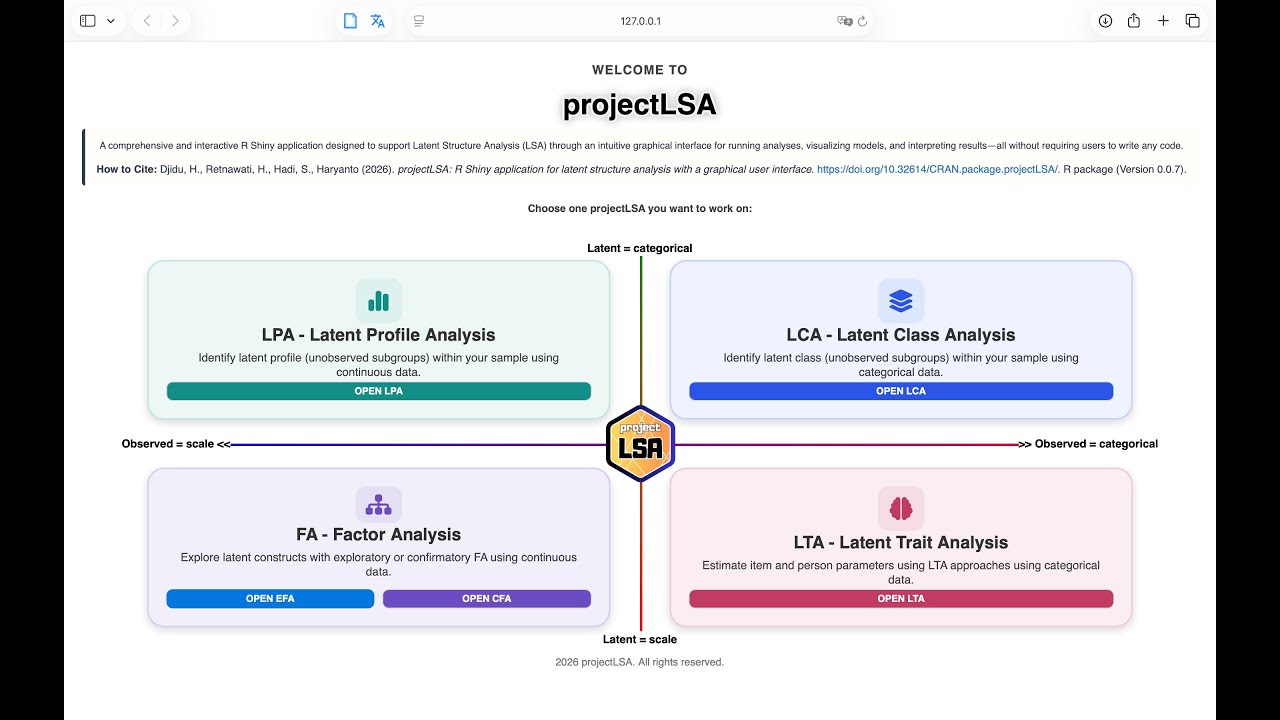
🎬 Click the image to watch the installation and quick-start tutorial for projectLSA.
Features
✔ Latent Profile Analysis (LPA)
- Upload your own dataset or use built-in examples.
- Fit multiple LPA models automatically.
- Compare AIC, BIC, entropy, and class size.
- Visualize the best model with customizable class names.
✔ Latent Class Analysis (LCA)
- Supports categorical indicators.
- Fits multiple class solutions.
- Interactive plots with ggiraph.
- Probability tables and class membership export.
✔ Latent Trait Analysis (LTA / IRT)
- Supports dichotomous and polytomous items.
- Automatically fits Rasch, 2PL, 3PL (or PCM/GRM/GPCM).
- ICC plots, test information, factor scores.
- Test information, marginal reliability, and conditional standard error of measurement.
- Differential item functioning (DIF) analysis with anchor-item selection.
- Score new respondents from a fitted model using a downloadable Excel template.
- Multi-dimensional visualization with 3D surfaces and heatmaps.
✔ Exploratory Factor Analysis (EFA)
- KMO, Bartlett test, parallel analysis.
- Factor extraction with rotation.
- Factor scores and loading matrix export.
- Data summary visualisations and composite-variable calculation.
- Score new respondents from a fitted solution.
- Clean HTML summaries for clearer interpretation.
✔ Confirmatory Factor Analysis (CFA / SEM)
- Lavaan model editor with a built-in methodological guide.
- Fit measures, loadings, factor scores, AVE/CR, and HTMT.
- Modification indices with an editable model-comparison history.
- Multi-group CFA with configural, metric, scalar, and strict invariance testing, plus a one-click automated all-levels comparison.
- Latent growth modelling via
lavaan::growth(). - Data summary visualisations, composite-variable calculation, and scoring of new data.
- Fully customized SEM path diagrams (full model or structural model only).
✔ Save & Restore Analysis Sessions
- Every module can save the whole analysis session (data, fitted models,
and settings) to an
.rdsworkspace file. - Reload the workspace later by uploading it as the data source and continue where you left off.
✔ HTML Reports
- Every module renders an R Markdown report that you can preview in-app before downloading.
- Reports embed the underlying R console output and, optionally, an AI-written summary.
✔ AI Assistant (optional)
- A floating assistant available in every module: ask questions about the current results, or generate a summary in manuscript, APA 7, paragraph, bullet, or table format (English or Indonesian).
- Works with Google Gemini, OpenAI, Groq, or OpenRouter.
- You supply your own API key at runtime. It is used only for that session, is never stored by the package, and nothing is sent anywhere until you enter a key and ask a question. The application is fully usable without it.
Live Demo (Shiny Application)
All features of projectLSA can be explored through an interactive Shiny web application.
👉 Launch the live application:
https://measure.shinyapps.io/ProjectLSA/
The web interface provides access to Latent Profile Analysis (LPA), Latent Class Analysis (LCA), Confirmatory Factor Analysis (CFA), Structural Equation Modeling (SEM), and Latent Trait Analysis (IRT), allowing users to explore the full workflow without local installation.
Citation
If you use projectLSA in publications, please cite the following:
Journal Article (primary):
Djidu, H., Retnawati, H., Hadi, S., & Haryanto. (2026). projectLSA: A Shiny Application for Integrated Latent Structure Analysis. Applied Psychological Measurement. https://doi.org/10.1177/01466216261446305
R Package:
Djidu, H., Retnawati, H., Hadi, S., & Haryanto (2026). projectLSA: R Shiny application for latent structure analysis with a graphical user interface. R package. https://doi.org/10.32614/CRAN.package.projectLSA
BibTeX
@article{Djidu2026projectLSA,
  title     = {projectLSA: A Shiny Application for Integrated Latent Structure Analysis},
  author    = {Djidu, Hasan and Retnawati, Heri and Hadi, Samsul and Haryanto},
  journal   = {Applied Psychological Measurement},
  year      = {2026},
  doi       = {10.1177/01466216261446305}
}
Contributing
Bug reports and feature requests are welcome:
https://github.com/hdmeasure/projectLSA/issues
License
MIT License © 2026 Hasan Djidu