Spectran
Visual and Non-Visual Spectral Analysis of Light
Analyse light spectra for visual and non-visual (often called
melanopic) needs, wrapped up in a Shiny App. 'Spectran' allows for the import
of spectra in various CSV forms but also provides a wide range of example
spectra and even the creation of own spectral power distributions. The goal of
the app is to provide easy access and a visual overview of the spectral
calculations underlying common parameters used in the field. It is thus ideal
for educational purposes or the creation of presentation ready graphs in
lighting research and application. 'Spectran' uses equations and action spectra
described in CIE S026 (2018)
Spectran 


Spectran, developed by the German Society for Lighting Technology and
Lighting Design (LiTG), is a Shiny App designed to analyze light spectra
for both visual and non-visual (also known as melanopic) needs. The app
supports the import of spectral data in CSV or text formats and also
offers an extensive library of example spectra. Users can even create
their own spectral distributions within the app. The primary aim of
Spectran is to offer easy access to and a visual representation of the
calculations that underlie commonly used parameters. As such, it serves
as an ideal tool for educational purposes and for generating
presentation-ready graphs in lighting research and application.
Installation
You can install the stable release version of Spectran from CRAN with:
install.packages("Spectran")
You can install the latest development version of Spectran from GitHub with:
# install.packages("devtools")
devtools::install_github("LiTGde/Spectran")
How to use Spectran
The commands show how to start Spectran:
library(Spectran)
Spectran()
or simply go to the example hosted on shinyapps.io.
You can also use the German version:
Spectran(lang_setting = "Deutsch")
or go to it´s example on shinyapps.io.
Example Screenshots
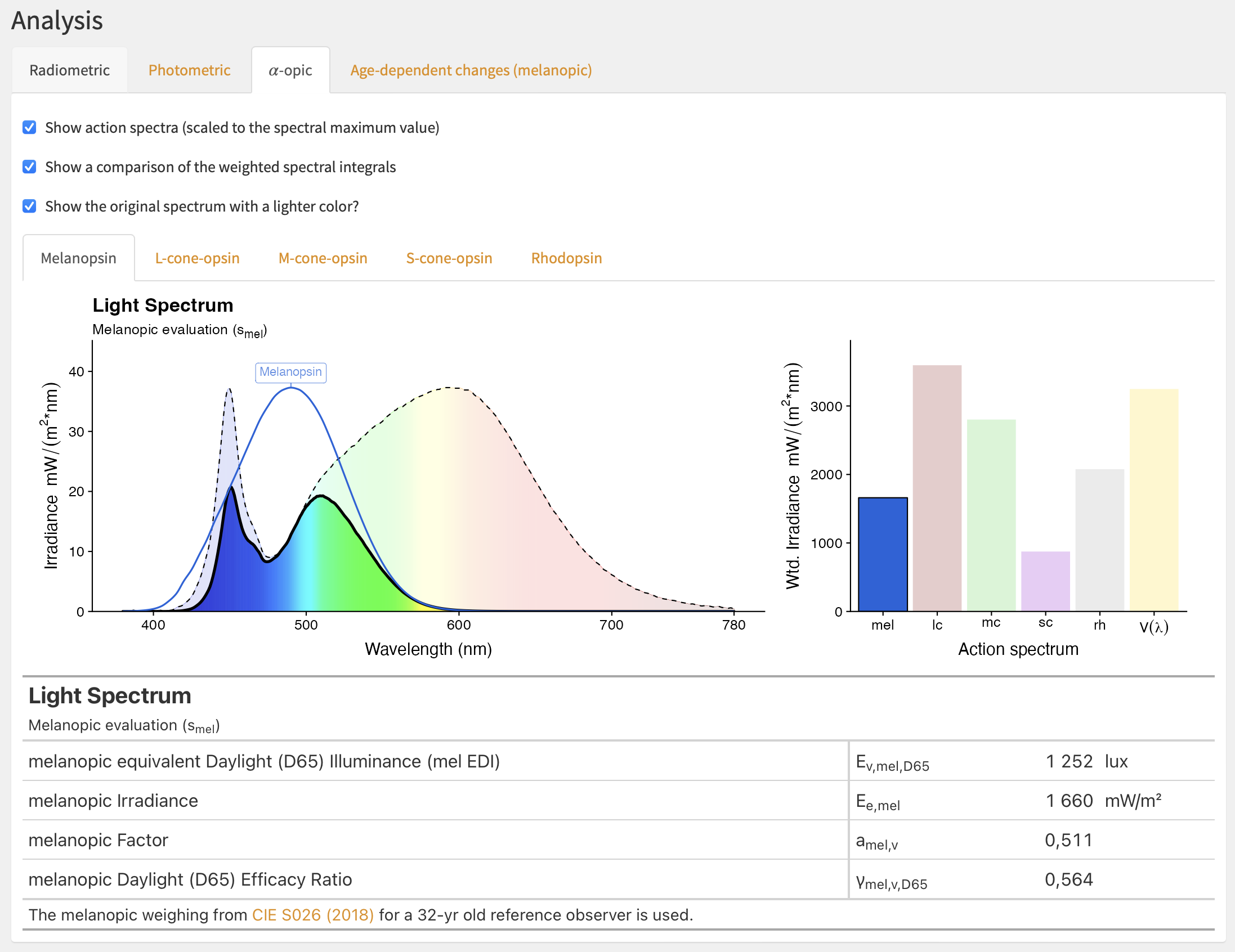 User Interface (UI) for Melanopic
Analysis
User Interface (UI) for Melanopic
Analysis
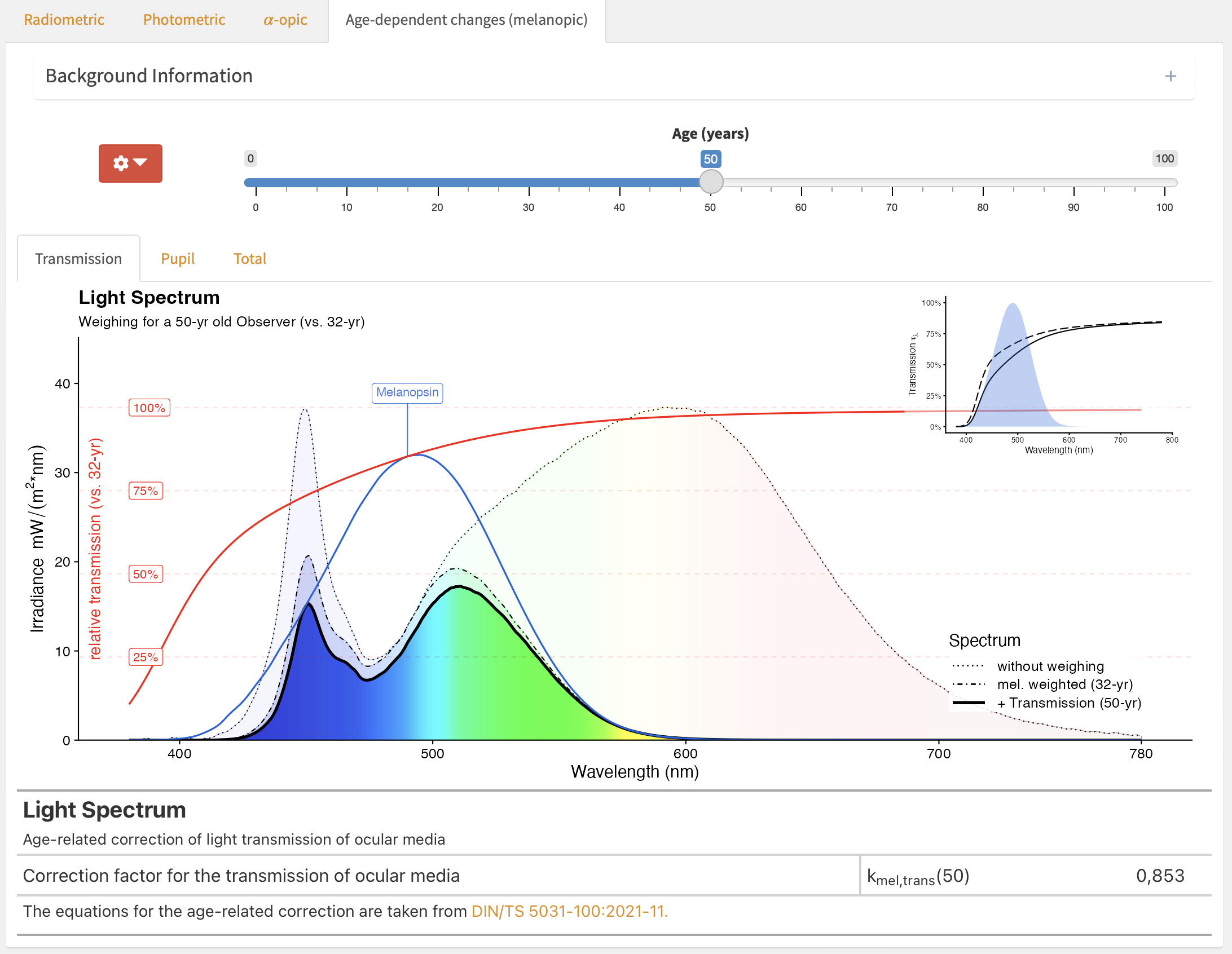 UI for Analysis of Age-dependent
changes
UI for Analysis of Age-dependent
changes
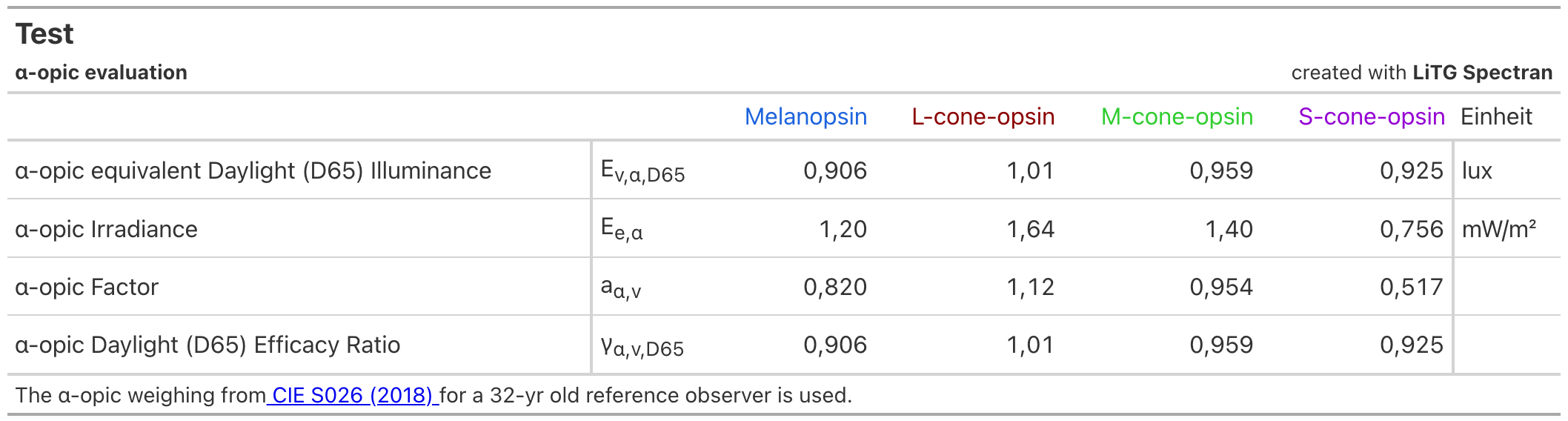 Export Table for Alpha-opic
Quantities
Export Table for Alpha-opic
Quantities
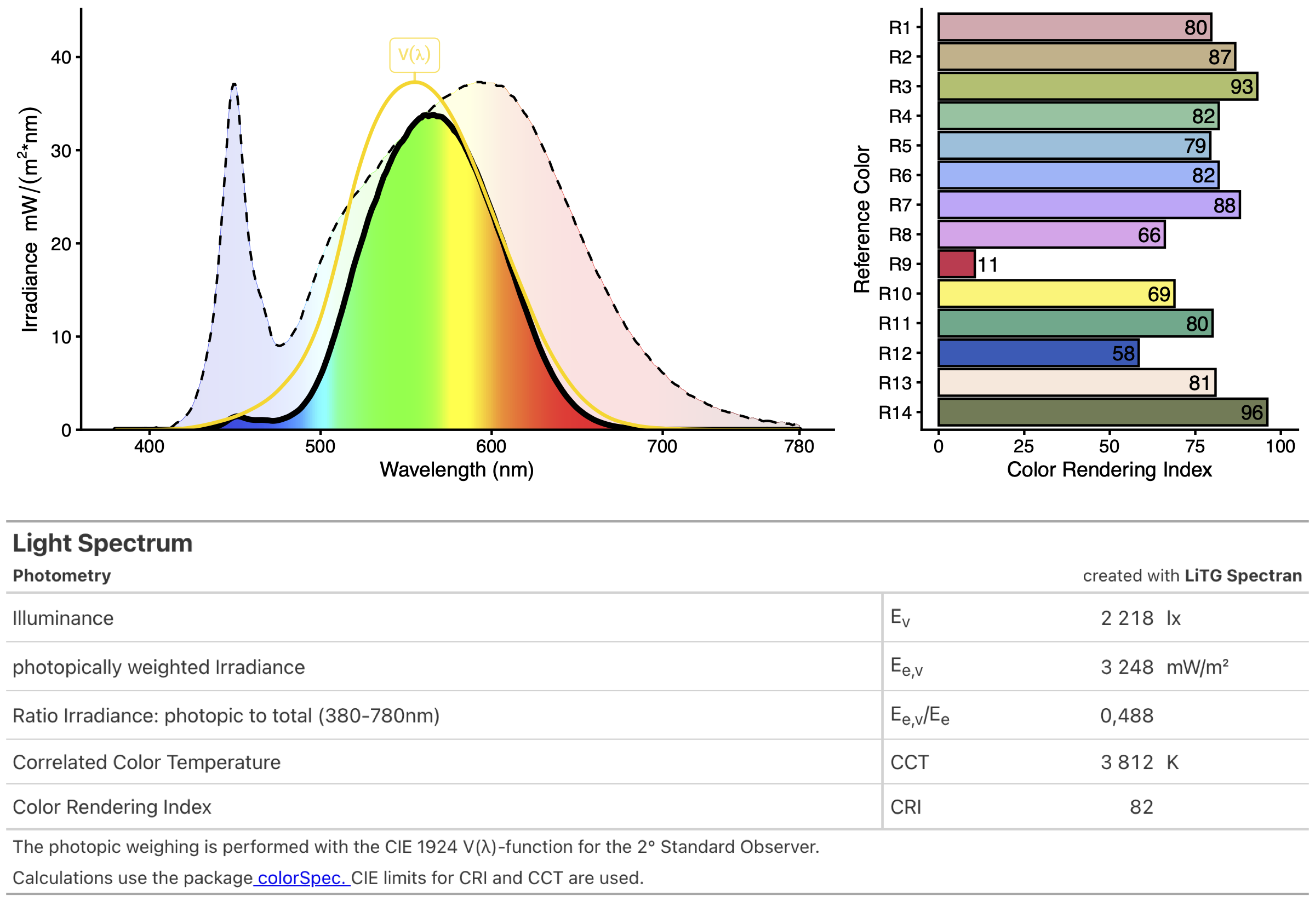 Export File for Photometric
Quantities
Export File for Photometric
Quantities
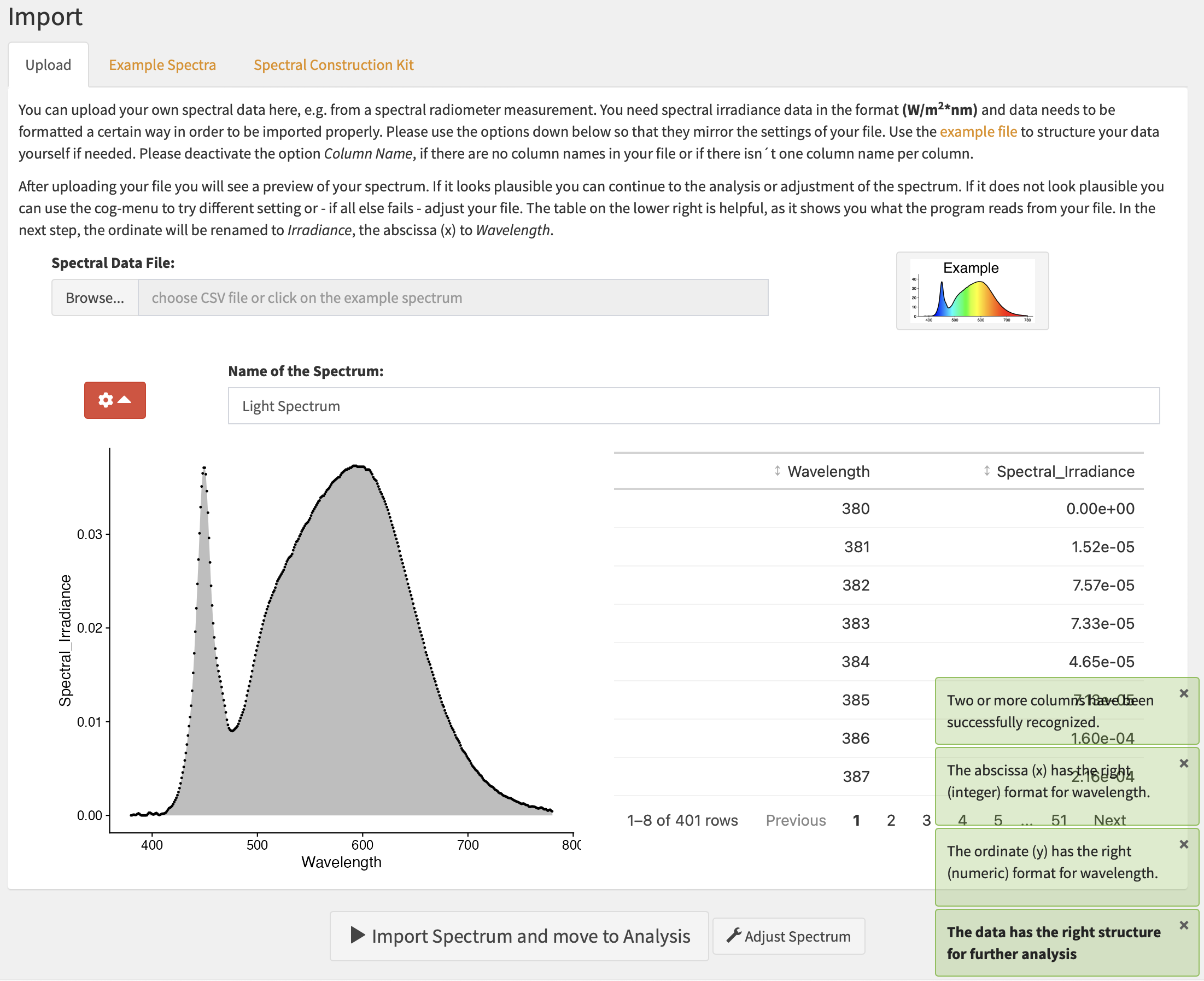 UI for File Import
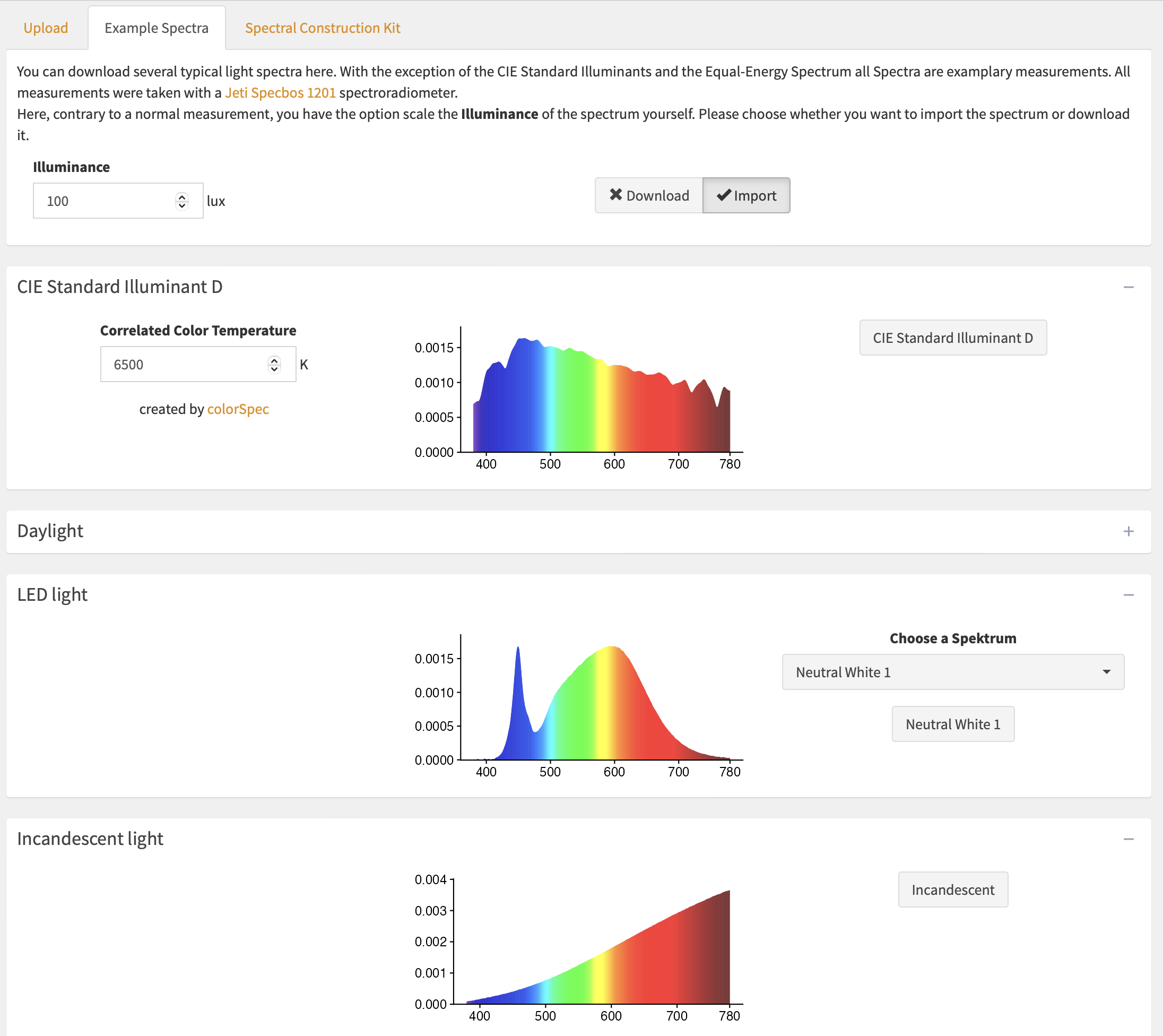 UI for Example Spectra
Import
UI for Example Spectra
Import