tidyspec
Spectroscopy Analysis Using the Tidy Data Philosophy
Enables the analysis of spectroscopy data such as infrared ('IR'), Raman, and nuclear magnetic resonance ('NMR') using the tidy data framework from the 'tidyverse'. The 'tidyspec' package provides functions for data transformation, normalization, baseline correction, smoothing, derivatives, and both interactive and static visualization. It promotes structured, reproducible workflows for spectral data exploration and preprocessing. Implemented methods include Savitzky and Golay (1964) "Smoothing and Differentiation of Data by Simplified Least Squares Procedures"
tidyspec 


The goal of tidyspec is to provide a friendly pipeline for spectroscopy analysis using the tidy data philosophy.
Installation
You can install the development version of tidyspec from GitHub with:
# install.packages("devtools")
devtools::install_github("marceelrf/tidyspec")
About
The tidyspec package was design to enable the data analysis of
spectroscopy data (as IR, Raman, NMR) with the tidy-data format. There
are 6 families of functions in tidyspec, all starting with spec_:
-
Transformation: Convert data from absorbance to transmittance (
spec_abs2trans) & from transmittance to absorbance (spec_trans2abs). -
Normalize: Normalize the data to range 0-1 (
spec_norm_01), normalize between a custom range (spec_norm_minmax), or normalize to have a standard deviation of one (spec_norm_var). -
Baseline correction: Correct the baseline using the the rolling ball algorithm (
spec_blc_rollingBall) or Iterative Restricted Least Squares (spec_blc_irls). The functionspec_blreturn the baseline vectors (spec_bl_rollingBall,spec_bl_irls). -
Smooth correction: Smooth the data using the average window (
spec_smooth_avg) or using the Savitzky-Golay algorithm (spec_smooth_sga). -
Derivative: Create differential data from the spectra (
spec_diff). -
Preview: Preview your data while applying changes statically (
spec_smartplot) or interactively (spec_smartplotly). -
Import/Export: Import spectra data from common data formats, like csv, txt, tsv, xslx and xls, with
spec_read. Export functions will be created in next moment, but user can easily use{readr}or{writexl}functions.
The function set_spec_wn simplifies the use of functions by globally
defining the column that contains the wave numbers. User can check the
wavenumber column with check_wn_col.
Example
This is a basic example which shows you how to solve a common problem:
library(tidyspec)
The data
head(CoHAspec)
#> # A tibble: 6 x 5
#>   Wavenumber CoHA01 CoHA025 CoHA05 CoHA100
#>        <dbl>  <dbl>   <dbl>  <dbl>   <dbl>
#> 1       399.  0.871    1.36  1.17    1.05
#> 2       401.  0.893    1.24  1.05    0.925
#> 3       403.  0.910    1.20  0.997   0.876
#> 4       405.  0.914    1.19  0.982   0.867
#> 5       407.  0.908    1.18  0.965   0.857
#> 6       409.  0.887    1.14  0.936   0.828
Set the wavenumber column
set_spec_wn("Wavenumber")

check_wn_col()
#> The current wavenumber column is: Wavenumber
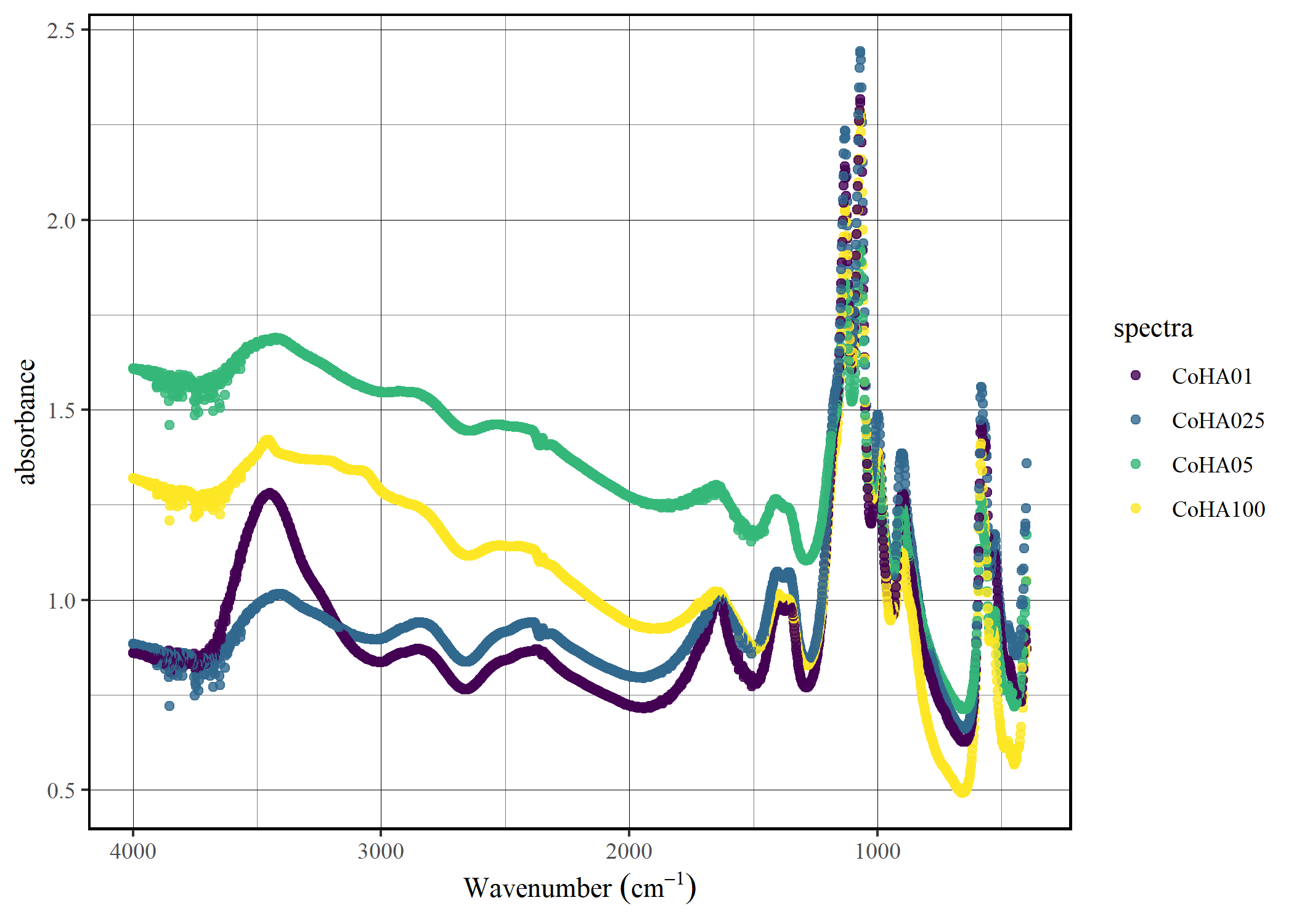
Plot the data
spec_smartplot(CoHAspec)
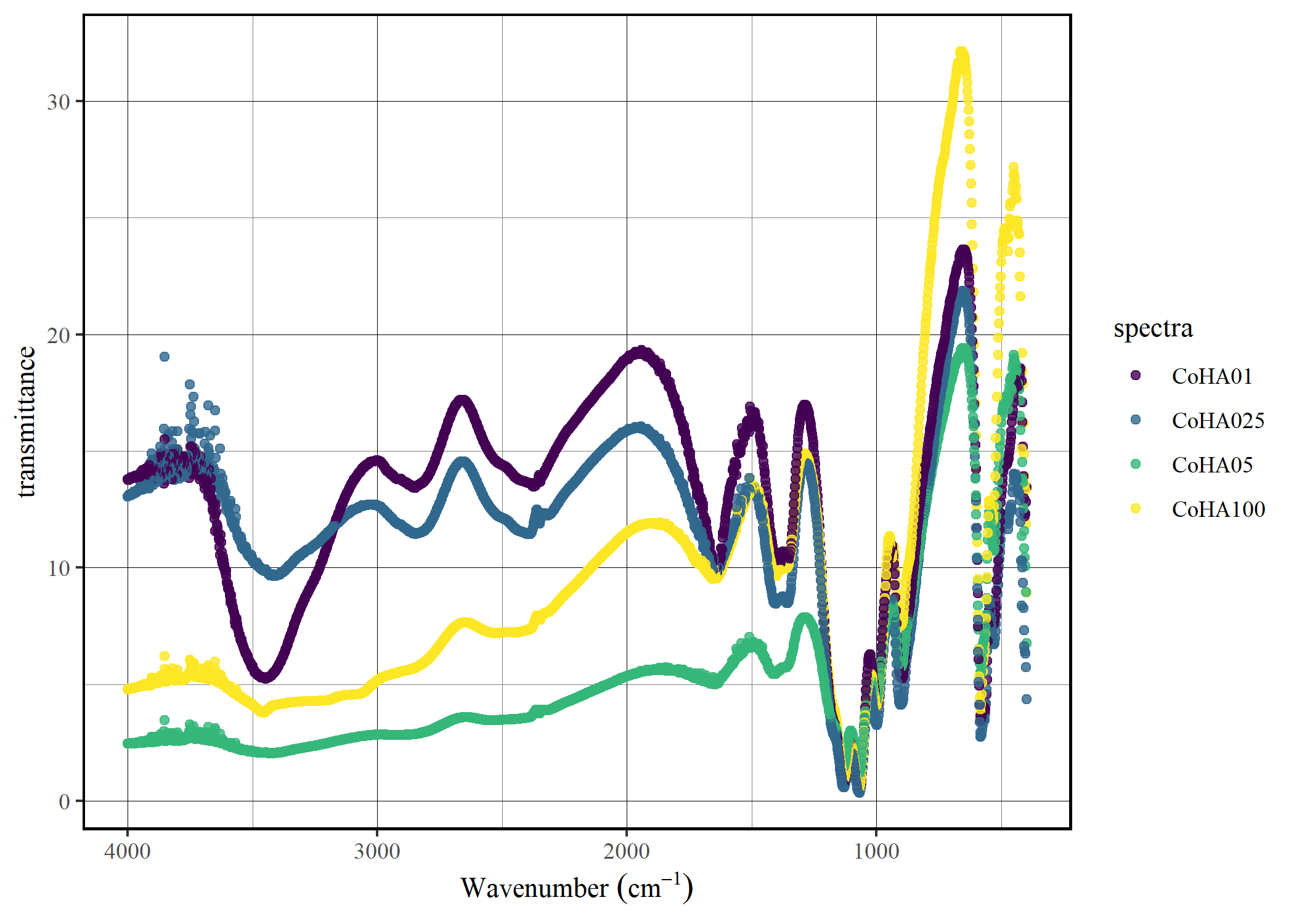
Convert to trasmittance
CoHAspec |>
    spec_abs2trans() |>
    spec_smartplot(type = "transmittance")
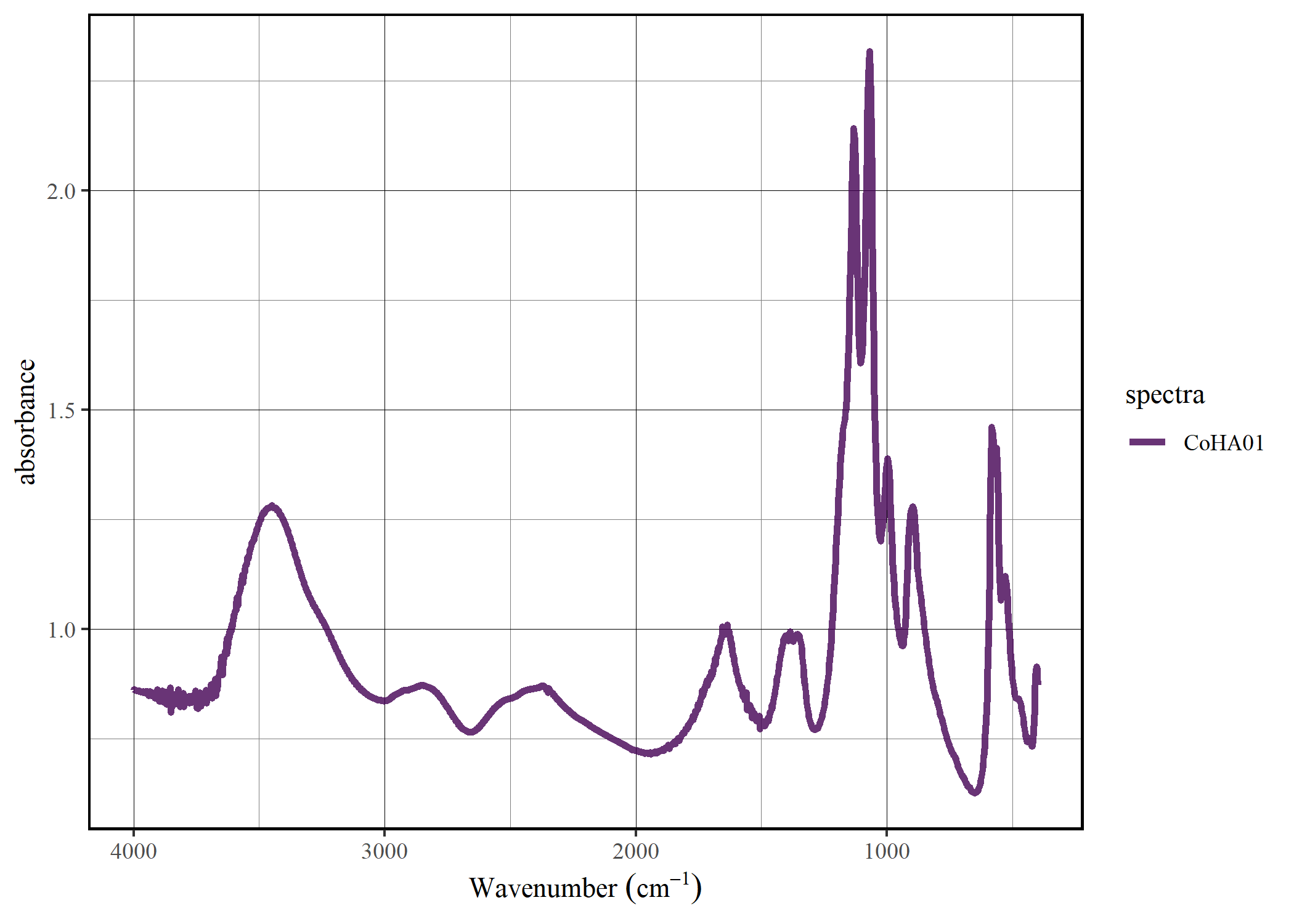
Select the spectra
spec_select(CoHAspec, CoHA01) |>
  spec_smartplot(geom = "line")
The future of tidyspec
Our plan is for tidyspec to be the first step toward a complete ecosystem for spectral data analysis. For spectral band analysis, we are creating the bandspec package that handles different band profiles. We also intend to create a package focused on producing publication-level graphics for spectral data. We haven’t thought of a name yet, so we welcome suggestions!