kuzuR
Interface to 'kuzu' Graph Database
Provides a high-performance 'R' interface to the 'kuzu' graph database. It uses the 'reticulate' package to wrap the official 'Python' client ('kuzu', 'pandas', and 'networkx'), allowing users to interact with 'kuzu' seamlessly from within 'R'. Key features include managing database connections, executing 'Cypher' queries, and efficiently loading data from 'R' data frames. It also provides seamless integration with the 'R' ecosystem by converting query results directly into popular 'R' data structures, including 'tibble', 'igraph', 'tidygraph', and 'g6R' objects, making 'kuzu's powerful graph computation capabilities readily available for data analysis and visualization workflows in 'R'. The 'kuzu' documentation can be found at < https://kuzudb.github.io/docs/>.
kuzuR 



Overview
kuzuR provides an R interface to the Kuzu Graph
Database, a high-performance, embedded
graph database. The package acts as a wrapper around the official Python
kuzu client, using the reticulate package to bridge the two
languages. This allows you to interact with Kuzu seamlessly within your
R environment, integrating its powerful graph computation capabilities
into your existing data analysis workflows.
The primary goal of kuzuR is to provide an idiomatic R experience
for: - Creating and managing Kuzu database instances. - Executing Cypher
queries. - Loading data from and retrieving results into R data frames
and tibbles. - Converting graph query results directly into R-native
graph objects like igraph and tidygraph.
Installation
kuzuR requires a working Python installation with the kuzu,
pandas, and networkx packages.
- Install the R Package
You can install the development version from GitHub:
# install.packages("pak")
pak::pak("WickM/kuzuR")
Or the stable version from CRAN:
# install.packages("kuzuR")
- Install Python Dependencies
After installing kuzuR, you must install the required Python packages.
You can do this from your R console using reticulate:
library(kuzuR)
reticulate::py_install(c("kuzu", "pandas", "networkx"), pip = TRUE)
- Verify Installation
You can check that all dependencies are correctly installed by running:
check_kuzu_installation()
#> The 'kuzu', 'pandas', and 'networkx' Python packages are installed and available.
Usage
Here is a complete example demonstrating how to create a database, define a schema, load data, and run queries.
library(kuzuR)
library(igraph)
library(tidygraph)

# 1. Create a database in a temporary directory
db_path <- tempfile()
con <- kuzu_connection(db_path)

# 2. Define a schema
# Create a 'Person' node table with a STRING name and INT64 age
schema_query_1 <- "CREATE NODE TABLE Person (
  name STRING,
  age INT64,
  PRIMARY KEY (name)
)"
kuzu_execute(con, schema_query_1)
#> <kuzu.query_result.QueryResult object at 0x000001DDFFE00050>

# Create a 'Knows' relationship table
schema_query_2 <- "CREATE REL TABLE Knows(FROM Person TO Person, since INT64)"
kuzu_execute(con, schema_query_2)
#> <kuzu.query_result.QueryResult object at 0x000001DDFFC97D90>

# 3. Load data from R data frames
# Create node data
nodes <- data.frame(
  name = c("Alice", "Bob", "Carol"),
  age = c(30, 40, 50)
)

# Create edge data
edges <- data.frame(
  from_person = c("Alice", "Bob"),
  to_person = c("Bob", "Carol"),
  since = c(2010, 2015)
)

# Use kuzu_copy_from_df to load the data
kuzu_copy_from_df(con, nodes, "Person")

names(edges) <- c("FROM", "TO", "since")
kuzu_copy_from_df(con, edges, "Knows")

# 4. Execute Cypher queries
# Retrieve data as a data frame
query_result <- kuzu_execute(con, "MATCH (p:Person) RETURN p.name, p.age")
as.data.frame(query_result)
#>   p.name p.age
#> 1  Alice    30
#> 2    Bob    40
#> 3  Carol    50

# 5. Convert graph results to R objects
# The same query result can be converted into different graph formats.
graph_result <- kuzu_execute(con, "MATCH (a:Person)-[k:Knows]->(b:Person) RETURN a, k, b")

# a) Convert to an igraph object
g_igraph <- as_igraph(graph_result)
print(g_igraph)
#> IGRAPH 6697a05 DN-- 3 2 --
#> + attr: name (v/c), age (v/n), Person (v/l), label (v/c), _label (e/c),
#> | _id (e/x), _dst (e/x), since (e/n), _src (e/x)
#> + edges from 6697a05 (vertex names):
#> [1] Person_Alice->Person_Bob   Person_Bob  ->Person_Carol
plot(g_igraph)

# b) Convert to a tidygraph object
g_tidy <- as_tidygraph(graph_result)
print(g_tidy)
#> # A tbl_graph: 3 nodes and 2 edges
#> #
#> # A rooted tree
#> #
#> # Node Data: 3 × 4 (active)
#>   name           age Person label
#>   <chr>        <dbl> <lgl>  <chr>
#> 1 Person_Alice    30 TRUE   Person
#> 2 Person_Bob      40 TRUE   Person
#> 3 Person_Carol    50 TRUE   Person
#> #
#> # Edge Data: 2 × 7
#>    from    to `_label` `_id`            `_dst`           since `_src`
#>   <int> <int> <chr>    <list>           <list>           <dbl> <list>
#> 1     1     2 Knows    <named list [2]> <named list [2]>  2010 <named list [2]>
#> 2     2     3 Knows    <named list [2]> <named list [2]>  2015 <named list [2]>

# 6. Inspecting Query Results
# You can inspect the schema of a query result without converting it to a data frame.
# Get column names
kuzu_get_column_names(query_result)
#> [1] "p.name" "p.age"

# Get column data types
kuzu_get_column_data_types(query_result)
#> [1] "STRING" "INT64"

# Get the full schema as a named list
kuzu_get_schema(query_result)
#> $p.name
#> [1] "STRING"
#>
#> $p.age
#> [1] "INT64"
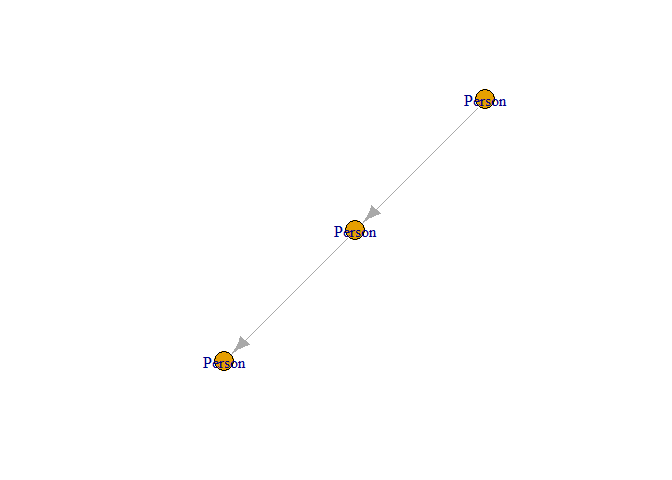
Plot of the graph structure created from Kuzu query results.
Learning and Getting Help
- For more detailed examples and workflows, please see the package vignettes.
- For more detailed examples on how to use kuzu Query see kuzu documentation
- If you encounter a bug or have a feature request, please file an issue on GitHub.