daisytools
Reading and Visualizing Output from 'Daisy' Simulations
Read, transform, and visualize log files produced by 'Daisy' simulations. Supports importing dlf output files, reshaping depth-dependent and time-series data, and creating static and interactive plots for exploratory analysis and comparison of simulation results.

daisytools
A suite of visualization tools for Daisy log files written in R.
Installation
daisytools is currently only available from github. You need Rtools to build the package. If not already installed, you can install it with your package manager or from https://cran.r-project.org. You can then use devtools to install daisytools. Depending on your platform, you might need to install git.
First install devtools
install.packages('devtools')
Then try to install daisytools
devtools::install_git('https://github.com/daisy-model/daisy-r-tools')
If this fails try to install git2r
install.packages('git2r')
and install daisytools again
devtools::install_git('https://github.com/daisy-model/daisy-r-tools')
If this fails open an issue and describe the problem https://github.com/daisy-model/daisy-r-tools/issues
You can remove the package with
remove.packages('daisytools')
The contents of the package can be listed with
library(daisytools)
ls("package:daisytools")
Examples
Reading dlf files
library(daisytools)
example(read_dlf)
Plotting
library(daisytools)
example(plot_dlf)
example(animate_dlf)
example(plot_mass_balance)
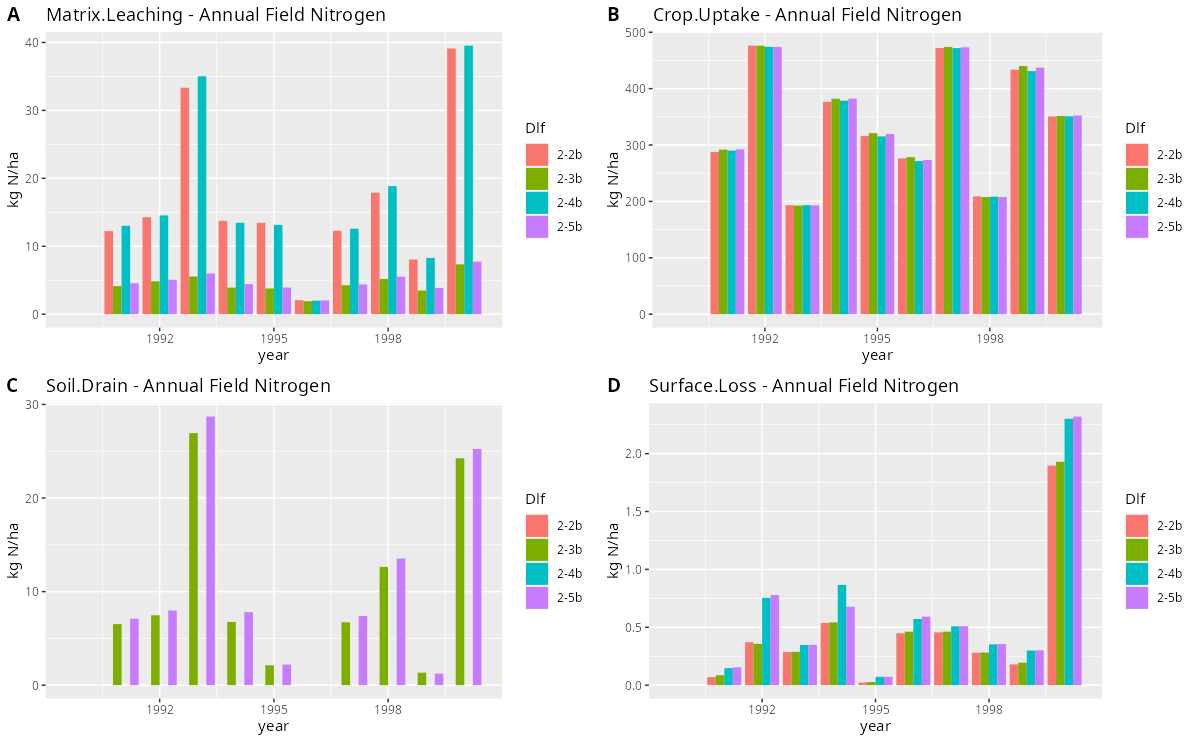
The call to example(plot_dlf) should produce a plot similar to this
Mass balance
library(daisytools)
example(mass_balance)
example(mass_balance_summary)
Utility functions
library(daisytools)
example(subset_dlf)
example(daisy_time_to_timestamp)
Documentation
Use the built-in help for documentation on each function. For a more tutorial like introduction go to https://daisy-model.github.io/daisy-r-tools/ and browse the available articles.
Development
Follows https://r-pkgs.org/
Start R in base of repository. Then use devtools to load, check and install package
library(devtools)
load_all()
lint()
check(cran = TRUE)
install()
Release
Bump version and remember to update NEWS.md.
Before PR
The release workflow is partly automated. Before opening a PR ensure that the following works without issues
devtools::load_all()
devtools::lint(cache = FALSE)
devtools::spell_check()
devtools::check(cran = TRUE)
After PR
After opening a PR, ensure that all checks run without issues. Then manually do
devtools::check_win_release()
devtools::check_win_oldrelease()
devtools::check_win_devel()
Wait for results by mail and verify that everything works.
After merge into main
Tag the current main with current version and push to start the release workflow. This will build the tarball for CRAN, run R CMD check --no-manual --as-cran on that exact tarball on macOS and Windows, run a separate Ubuntu R CMD check --as-cran with TinyTeX to verify that the PDF manual builds, and create a pre-release with the tarball and a generated check-summary-<tag>.md file attached.
git tag v1.0.0
git push origin v1.0.0
Note that the tarball will be generated using the tagged commit, so if you need to make changes to the release you will need to update the tag. Rerunning the Build Release Tarball workflow manually using the old tag will not pick up the changes.
Download the tarball and check-summary-<tag>.md from the pre-release. The summary file is generated from the GitHub release checks only, so review and add any release-specific information you want to include before submission.
Submit the downloaded tarball through the CRAN web form at https://cran.r-project.org/submit.html and paste the contents of the reviewed check-summary-<tag>.md file into the submission comments field. Once CRAN submission is accepted remove the pre-release tag.