shinychat
Chat UI Component for 'shiny'
Provides a scrolling chat interface with multiline input, suitable for creating chatbot apps based on Large Language Models (LLMs). Designed to work particularly well with the 'ellmer' R package for calling LLMs.
shinychat 

shinychat provides a Shiny toolkit for building generative AI applications like chatbots and streaming content. It's designed to work alongside the ellmer package, which handles response generation.
Installation
You can install shinychat from CRAN with:
install.packages("shinychat")
Or, install the development version of shinychat from GitHub with:
# install.packages("pak")
pak::pak("posit-dev/shinychat/pkg-r")
Example
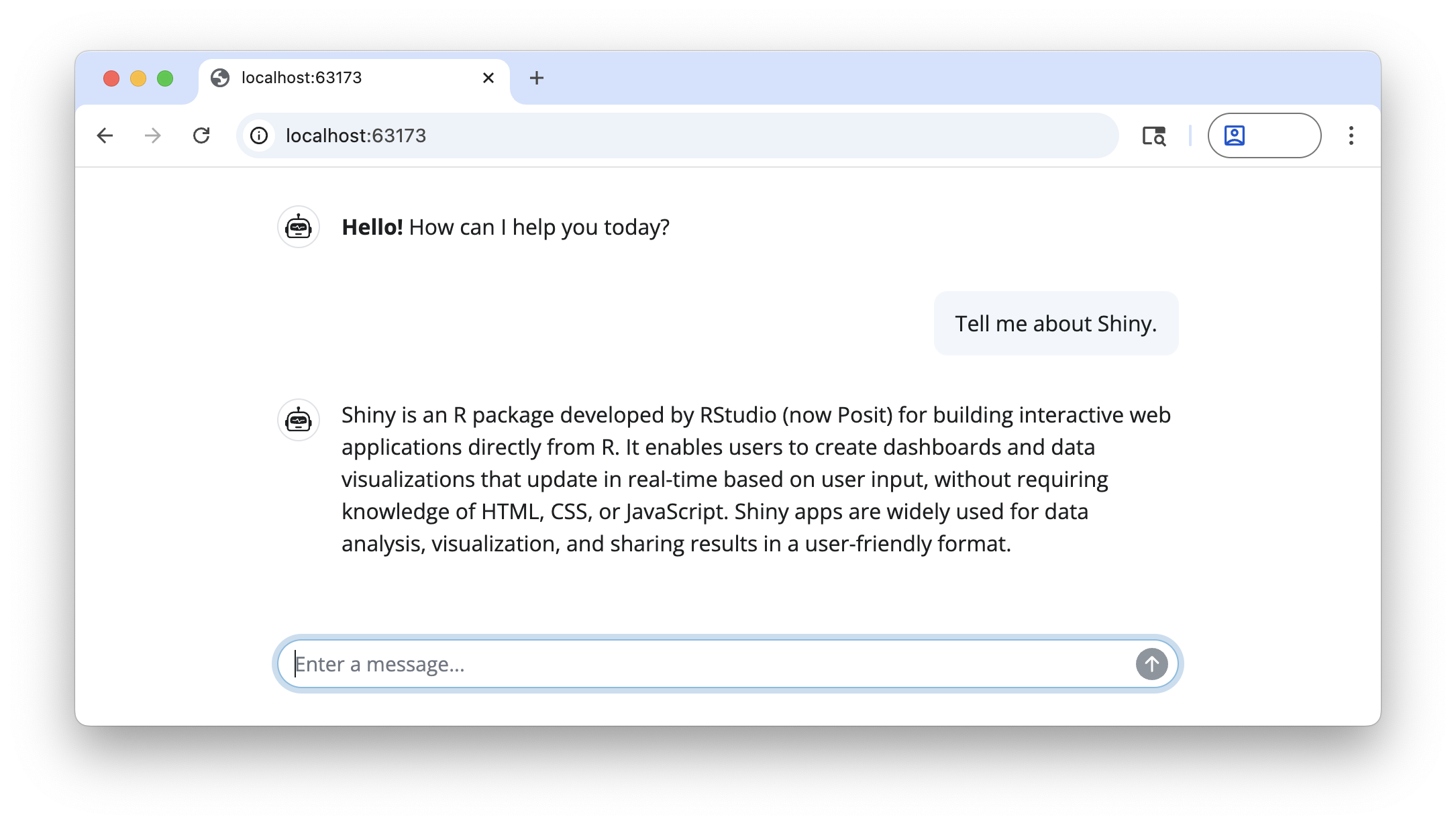
To run this example, you'll first need to create an OpenAI API key, and set it in your environment as OPENAI_API_KEY.
You'll also need to install the ellmer package (with install.packages("ellmer")).
library(shiny)
library(shinychat)

ui <- page_chat(
  "Assistant",
  id = "chat",
  greeting = "**Hello!** How can I help you today?"
)

server <- function(input, output, session) {
  chat <-
    ellmer::chat_openai(
      system_prompt = "Respond to the user as succinctly as possible."
    )

  observeEvent(input$chat_user_input, {
    stream <- chat$stream_async(input$chat_user_input)
    chat_append("chat", stream)
  })
}

shinyApp(ui, server)
Next steps
Ready to start building a chatbot with shinychat? See Get Started to learn more.
Use page_chat() when the chat owns the full browser window. It includes
responsive navigation and sidebar support:
ui <- page_chat(
  "Assistant",
  toolbar = actionButton("clear_chat", "Clear conversation"),
  toolbar_global = bslib::toolbar(
    bslib::input_dark_mode(),
    actionButton("help", "Help")
  ),
  sidebar = chat_sidebar(tags$p("Tools"), history = FALSE),
  pages_navbar = list(
    chat_nav_panel(
      "About",
      tags$p("About this app."),
      value = "about",
    ),
    chat_nav_panel(
      "Settings",
      tags$p("Settings"),
      toolbar = actionButton("save_settings", "Save settings")
    )
  ),
  drawer = chat_drawer(tags$p("Preview content"), title = "Preview")
)
For an embedded chat or a layout with other top-level content, continue using
chat_ui() inside bslib::page_fillable(), bslib::page_sidebar(), or
another suitable container. page_chat() owns its page composition and should
not be wrapped in another page container.
The package includes credential-free page_chat() examples. Run them with:
shiny::runExample("page-chat-navigation", package = "shinychat")
shiny::runExample("page-chat-drawer-controls", package = "shinychat")