doconv
Document Conversion to 'PDF', Thumbnails and Visual Testing
Provides the ability to generate images from documents of different types. Three main features are provided: generating document thumbnails, performing visual tests of documents, and updating fields and tables of contents of a 'Microsoft Word' or 'RTF' document. 'Microsoft Office' ('Word', 'PowerPoint', 'Excel') and/or 'LibreOffice' must be installed on the machine. If 'Microsoft Office' is available, it can produce PDF documents or images identical to the originals; otherwise 'LibreOffice' is used and the rendering may sometimes differ from the original documents.
doconv
 The
package provides functions for converting ‘Microsoft Word’ or ‘Microsoft
PowerPoint’ documents to ‘PDF’ format and also for converting them to
images in the form of thumbnails. A function is also provided to update
all fields and tables of contents of a Word document.
The
package provides functions for converting ‘Microsoft Word’ or ‘Microsoft
PowerPoint’ documents to ‘PDF’ format and also for converting them to
images in the form of thumbnails. A function is also provided to update
all fields and tables of contents of a Word document.
The package uses ‘Microsoft Word’ or ‘Microsoft PowerPoint’ when available; otherwise ‘LibreOffice’ can be used as a fallback.
Visual-testing functions for documents are also provided. Formats ‘doc’, ‘docx’, ‘ppt’, ‘pptx’, ‘html’, ‘pdf’ and ‘png’ are supported. The functions can be used with packages ‘testthat’ and ‘tinytest’.
Important: For faithful rendering, this package requires ‘Microsoft Word’ and ‘Microsoft PowerPoint’, which are only available on Windows and macOS. ‘LibreOffice’ works on all platforms (including Linux) but its rendering of Office documents is often inaccurate (misplaced content, wrong fonts, broken layouts). Because ‘Microsoft Office’ is licensed desktop software, this package is best suited for interactive use rather than CI/CD pipelines or server deployments.

Installation
You can install the latest version from GitHub with:
# install.packages("devtools")
devtools::install_github("ardata-fr/doconv")
Setup
The package requires ‘Microsoft Word’ and ‘Microsoft PowerPoint’. If they cannot be installed, ‘LibreOffice’ can be used instead; please visit https://www.libreoffice.org/ and follow the installation instructions.
Use function check_libreoffice_export() to check that ‘LibreOffice’ is
installed and can export to PDF:
check_libreoffice_export()
#> [1] TRUE
When ‘Microsoft Word’ or ‘Microsoft PowerPoint’ are available, the output looks exactly like the original document. With ‘LibreOffice’, be aware that the rendering may differ (sections can be misinterpreted, for example).
Authorization on macOS
If you are running R on macOS, you have to authorize a few things before starting.
PDF processing takes place in a working directory managed with function
working_directory(). ‘Word’ and ‘PowerPoint’ must be authorized to
write to this directory. These permissions must be set manually as
required by the macOS security policy.
You must click a few buttons:
- Allow R to run ‘AppleScript’ scripts that will control Word.
- Allow Word to write to the working directory.
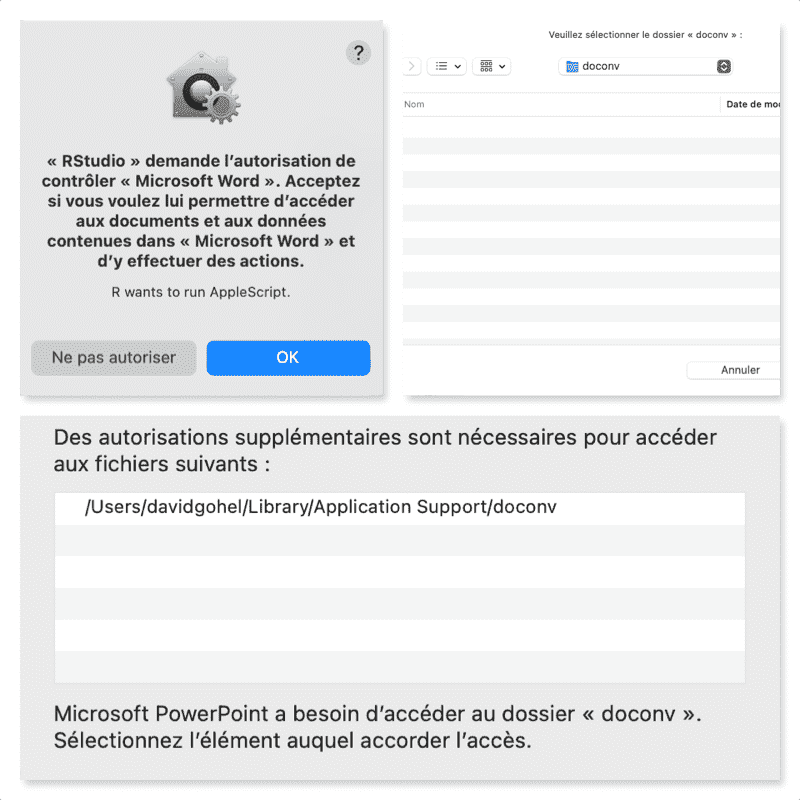
These are one-time operations.
Usage
library(doconv)
Generate thumbnails
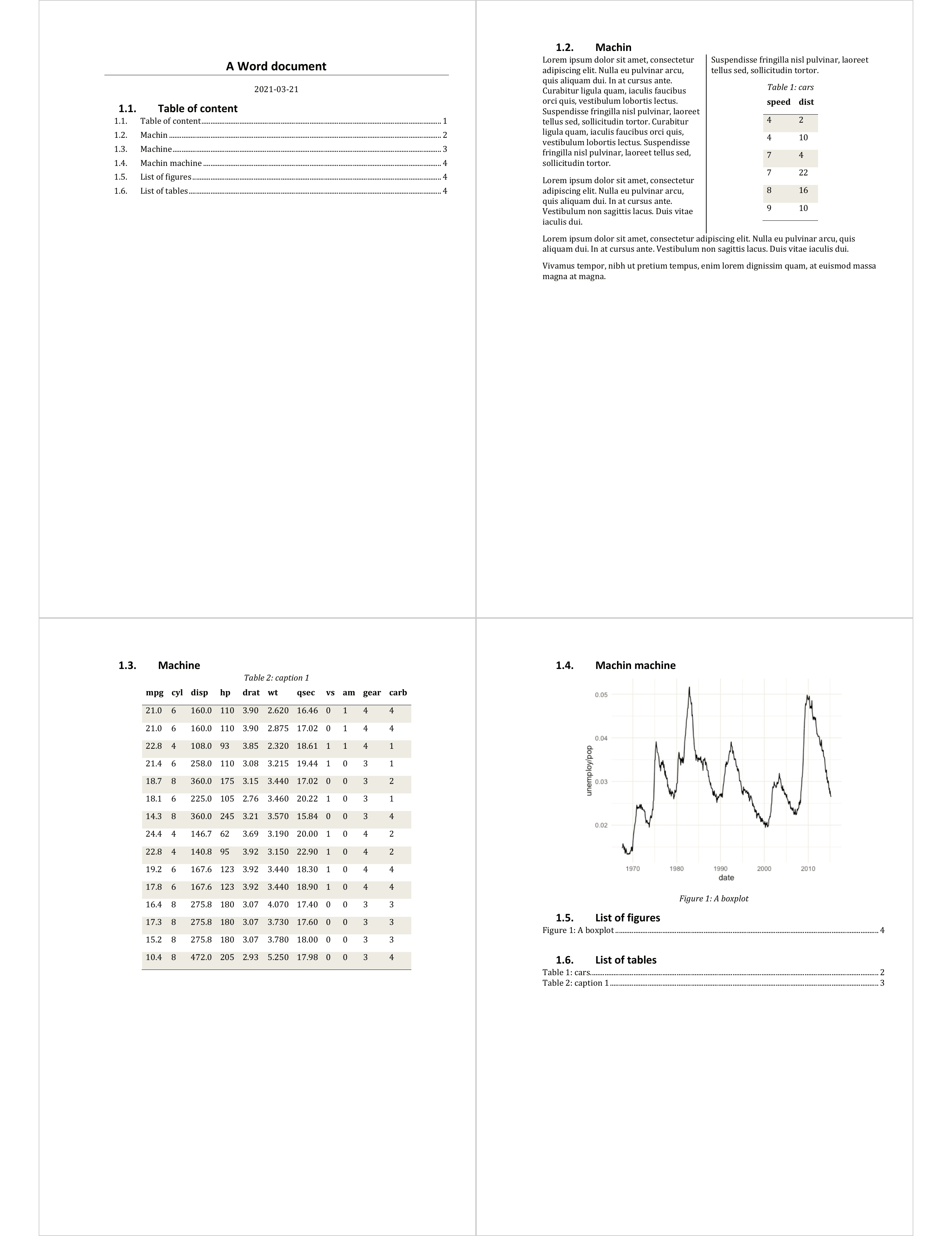
to_miniature() converts a document to an image of thumbnails:
docx_file <- system.file(package = "doconv", "doc-examples/example.docx")
to_miniature(
  filename = docx_file,
  row = c(1, 1, 2, 2))
Convert to PDF
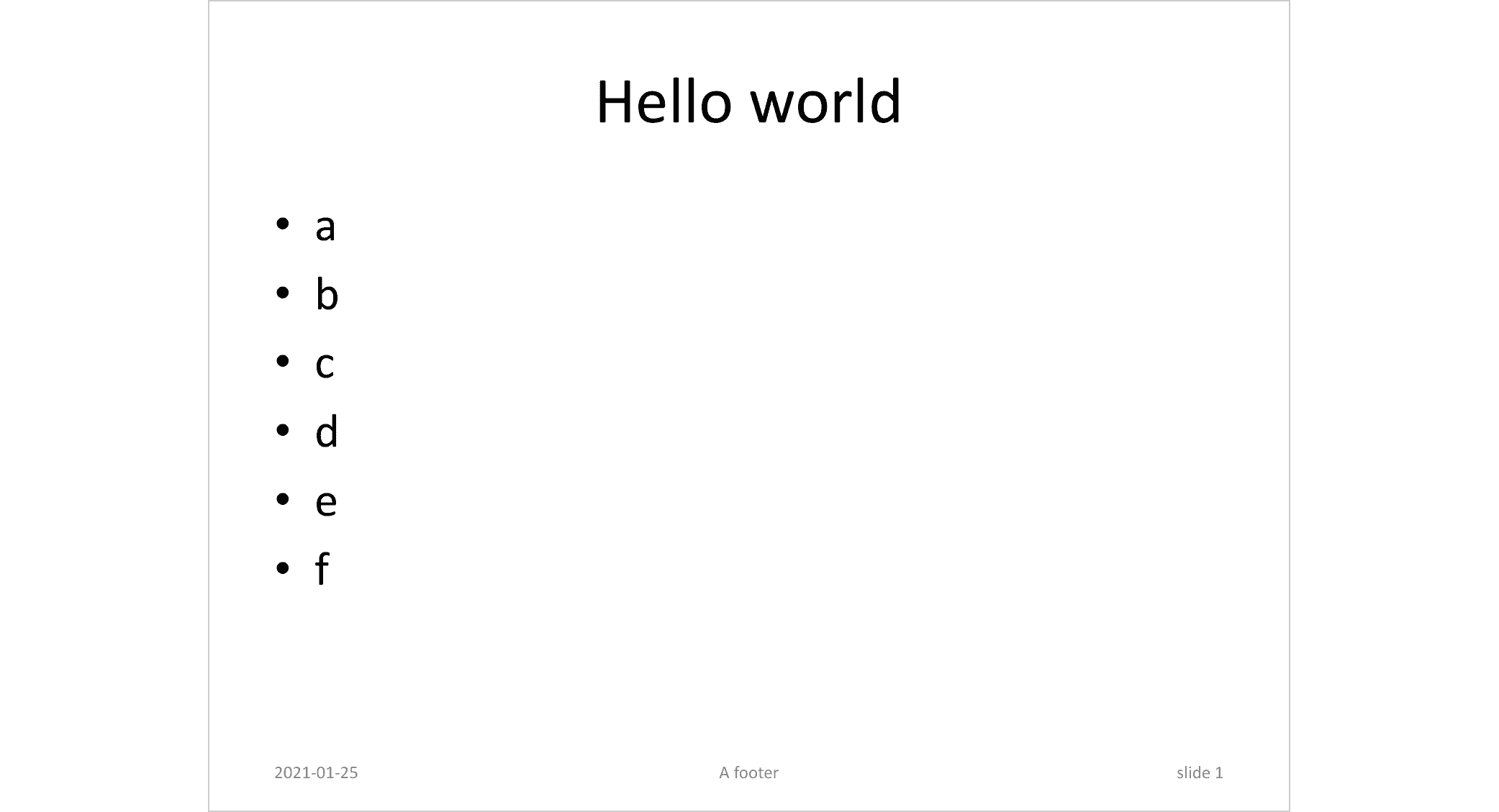
pptx_file <- system.file(package = "doconv", "doc-examples/example.pptx")
to_pdf(pptx_file, output = "pptx_example.pdf")
to_miniature("pptx_example.pdf", width = 1000)
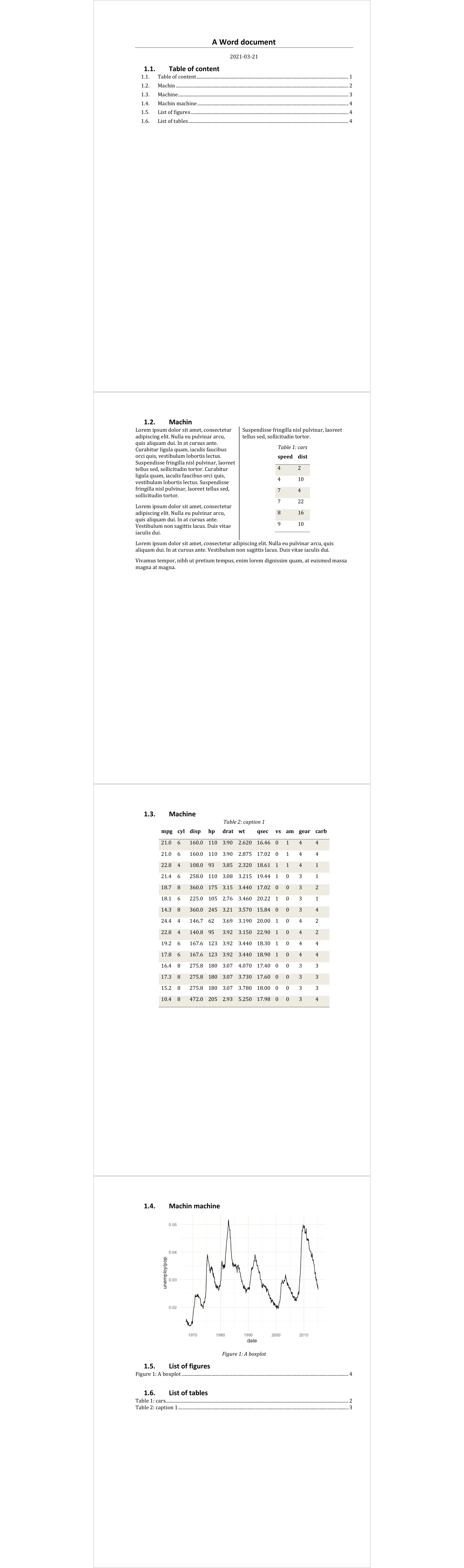
to_pdf(docx_file, output = "docx_example.pdf")
to_miniature("docx_example.pdf", width = 1000)
Update Word fields and TOC
library(officer)
library(doconv)

read_docx() |>
  body_add_fpar(
    value = fpar(
      run_word_field("DOCPROPERTY \"coco\" \\* MERGEFORMAT"))) |>
  set_doc_properties(coco = "test") |>
  print(target = "output.docx") |>
  docx_update()
Related work
- Package docxtractr
provides
convert_to_pdf(), which works very well. The functionality integrated in Bob Rudis’ package depends only on ‘LibreOffice’.