revise
Dynamic Revision Letters for 'Rmarkdown' Manuscripts
Extracts tagged text from markdown manuscripts for inclusion in dynamically generated revision letters. Provides an R markdown template based on papaja::revision_letter_pdf() with comment cross-referencing, a system for managing multiple sections of extracted text, and a way to automatically determine the page number of quoted sections from PDF manuscripts.
revise

The goal of revise is to support authors in responding to revise and resubmit requests. These functions are designed to work with crsh/papaja.
Installation
You can install the development version of {revise} from GitHub with:
# install.packages("remotes")
remotes::install_github("conig/revise")
Starting a revision document
ReviewerComment addin
We have included an addin so you can mark text as a reviewer comment. If a YAML header is not detected in document the addin will add it. Fields will automatically be filled in if there is a .rmd file in the working directory. Additionally, selected text will be marked as a reviewer comment by including it within an “asis” chunk. Text below this chunk will be tagged as an author response. A hotkey can be set for this addin (e.g. Ctrl+Shift+R).
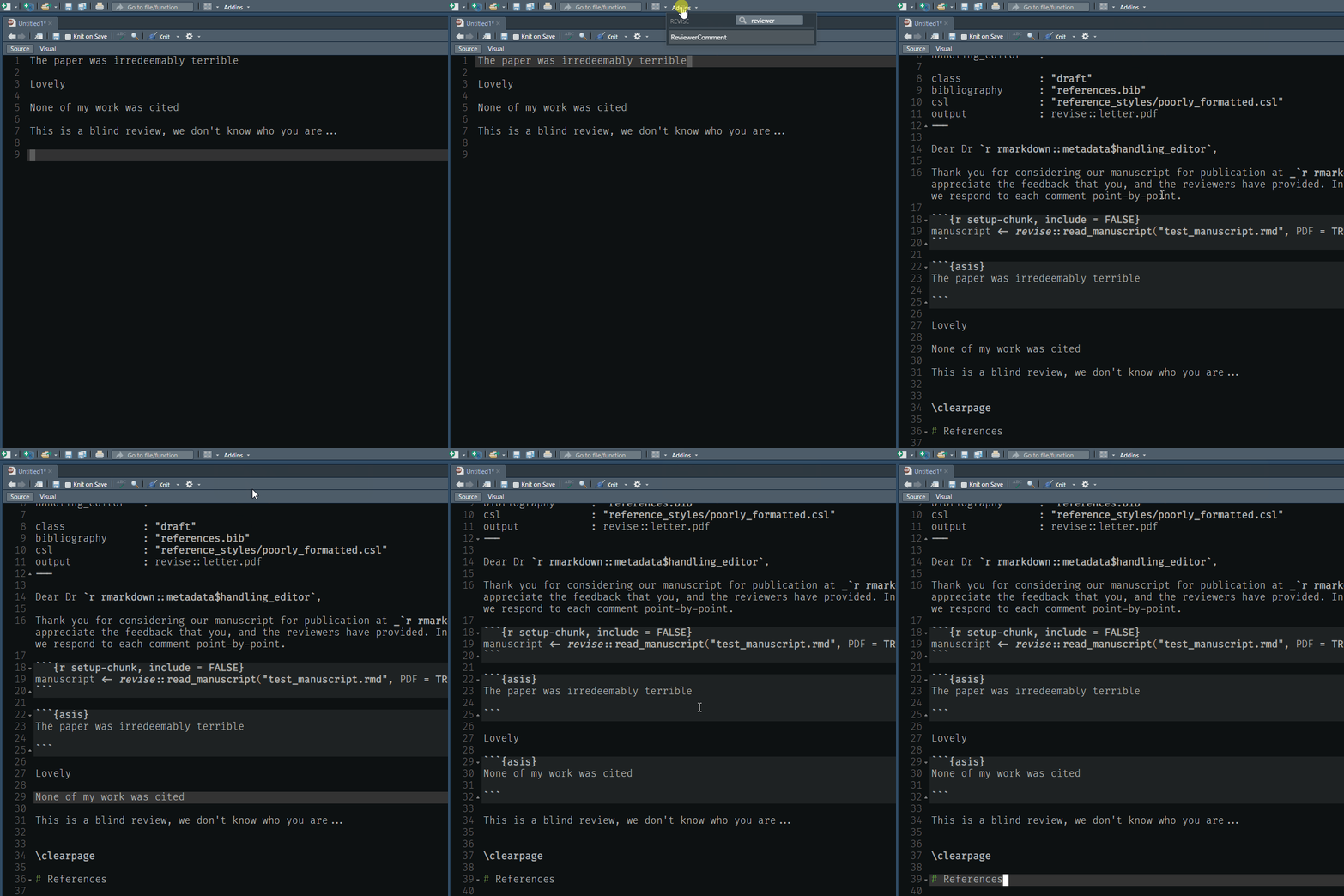 animation of ReviewerComment
addin
animation of ReviewerComment
addin
Loading a manuscript
You can use rmd or docx files with revise. To load either, simply call revise::read_manuscript(“your_file.rmd”)
For example. Here is an example docx where content has been tagged with comment boxes. E.g, Revise::hard
docx_path <- system.file("examples/word_test.docx", package = "revise")

man <- read_manuscript(docx_path)
man
#> <Manuscript>
#> [34m- 6 sections[39m
#> [31mNo PDF attached[39m
We can see all tagged sections by running
names(man$sections)
#> [1] "track_changes" "section"       "multi_lines"   "bullets"       "hard"          "numbered"
Then we can retrieve using a section name
revision <- get_revision("hard", man)
revision
#> [1] ">Hard example\n>\n>This section has all features:\n>\n>* Bullet1\n>\n>* Bullet2\n>\n>* Bullet3\n>\n>Some more text is here."
This content can then be put directly into a response document using single backticks.