ggredist
Scales, Geometries, and Extensions of 'ggplot2' for Election Mapping
Provides 'ggplot2' extensions for political map making. Implements new geometries for groups of simple feature geometries. Adds palettes and scales for red to blue color mapping and for discrete maps. Implements tools for easy label generation and placement, automatic map coloring, and themes.
ggredist 


ggredist provides ggplot2 extensions for political mapmaking,
including new geometries, easy label generation and placement, automatic
map coloring, and map scales, palettes, and themes.
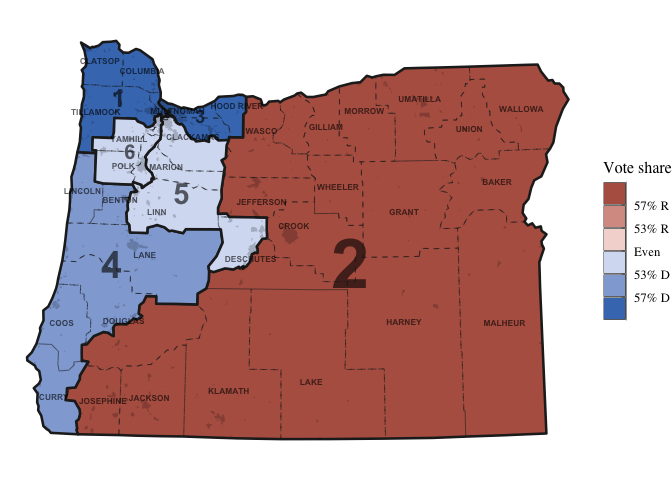
Here’s an example of what you can do with the package.
library(ggredist)
library(ggplot2)

data(oregon)

ggplot(oregon, aes(group=cd_2020)) +
  # 'ndv' and 'nrv' contain D and R vote counts
  geom_district(aes(fill=ndv, denom=ndv+nrv), linewidth=0.9) +
  geom_district_text() +
  # can then highlight towns and cities
  geom_places(state = 'OR') +
  # we can overlay county boundaries and labels
  geom_district(aes(group=county), linewidth=0.2, linetype="dashed", fill=NA) +
  geom_district_text(aes(group=county, label=toupper(county)),
                     size=2.2, check_overlap=TRUE) +
  scale_fill_party_b(limits=c(0.4, 0.6)) +
  theme_map()
See more in the reference.
Installation
You can install the development version of ggredist from GitHub with:
# install.packages("remotes")
remotes::install_github("alarm-redist/ggredist")