ggpage
Creates Page Layout Visualizations
Facilitates the creation of page layout visualizations in which words are represented as rectangles with sizes relating to the length of the words. Which then is divided in lines and pages for easy overview of up to quite large texts.
ggpage 


ggpage is a package to create pagestyled visualizations of text based data. It uses ggplot2 and final returns are ggplot2 objects.
Version 0.2.0
In this new version I have worked to include a lot of use cases that wasn’t available in the first version. These new elements are previewed in the vignette.
Installation
You can install the released version of ggpage from CRAN with:
install.packages("ggpage")
or you can install the developmental version of ggpage from github with:
# install.packages("devtools")
devtools::install_github("EmilHvitfeldt/ggpage")
Example
The package includes The Tinder-box by H.C. Andersen for examples.
library(tidyverse)
#> Warning: replacing previous import 'dplyr::vars' by 'rlang::vars' when
#> loading 'dbplyr'
library(ggpage)

head(tinderbox, 10)
#> # A tibble: 10 x 2
#>    text                                                        book
#>    <chr>                                                       <chr>
#>  1 "A soldier came marching along the high road: \"Left, righ… The tinder-…
#>  2 had his knapsack on his back, and a sword at his side; he … The tinder-…
#>  3 and was now returning home. As he walked on, he met a very… The tinder-…
#>  4 witch in the road. Her under-lip hung quite down on her br… The tinder-…
#>  5 "and said, \"Good evening, soldier; you have a very fine s… The tinder-…
#>  6 knapsack, and you are a real soldier; so you shall have as… The tinder-…
#>  7 "you like.\""                                               The tinder-…
#>  8 "\"Thank you, old witch,\" said the soldier."               The tinder-…
#>  9 "\"Do you see that large tree,\" said the witch, pointing … The tinder-…
#> 10 "beside them. \"Well, it is quite hollow inside, and you m… The tinder-…
The basic workflow with ggpage is using either
ggpage_quickfor a quick one function call plot or,- combining
ggpage_buildandggpage_plotto do analysis (NLP for example) before the final plot is produced.
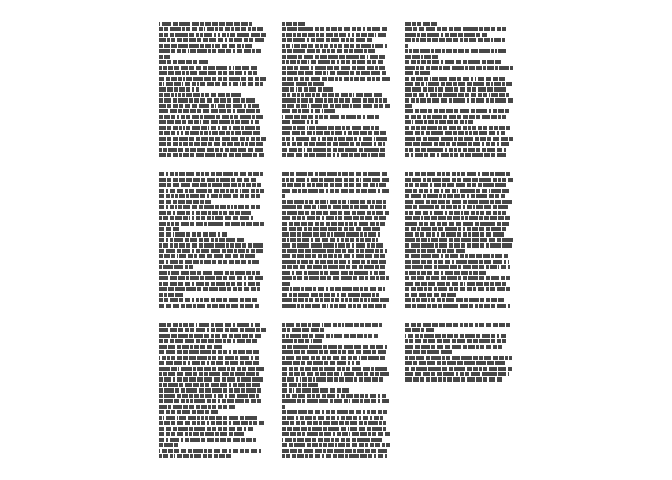
For a simple demonstration we apply ggpage_quick to our tinderbox
object. It is important that the data.frame that is used have the text
in a column named “text”.
ggpage_quick(tinderbox)
#> Warning: replacing previous import 'dplyr::vars' by 'rlang::vars' when
#> loading 'tidytext'
# Also pipeable
# tinderbox %>% ggpage_quick()
The same result would be achieved by using
tinderbox %>%
  ggpage_build() %>%
  ggpage_plot()
But this approach allows us to introduce more code between
ggpage_build and ggpage_plot giving us multiple more ways to enhance
the plots
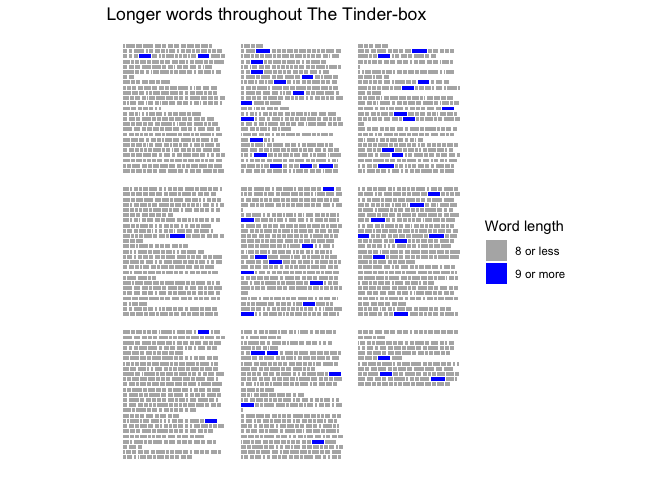
tinderbox %>%
  ggpage_build() %>%
  mutate(long_word = stringr::str_length(word) > 8) %>%
  ggpage_plot(aes(fill = long_word)) +
  labs(title = "Longer words throughout The Tinder-box") +
  scale_fill_manual(values = c("grey70", "blue"),
                    labels = c("8 or less", "9 or more"),
                    name = "Word length")