eddi
Get Evaporative Demand Drought Index Raster Data
Finds and downloads raw Evaporative Demand Drought Index (EDDI) data, then reads the data into 'R' using the 'raster' package. The EDDI product detects drought at multiple time scales, from weekly "flash droughts" to long-term droughts. More information about the EDDI data product can be found at < https://www.esrl.noaa.gov/psd/eddi/>.
eddi: R package for the NOAA Evaporative Demand Drought Index



The eddi R package facilitates access to the NOAA Evaporative Demand Drought Index (EDDI) data product.
Installation
You can install the development version of eddi with devtools:
# install.packages("devtools")
devtools::install_github("earthlab/eddi")
Example
The EDDI product exists for multiple timescales, including the 1 to 12 week and 1 to 12 months scales. Shorter time scales can detect short term droughts, e.g., “flash droughts”, and longer time scales are appropriate for detecting long term drought. For more information see https://www.esrl.noaa.gov/psd/eddi/.
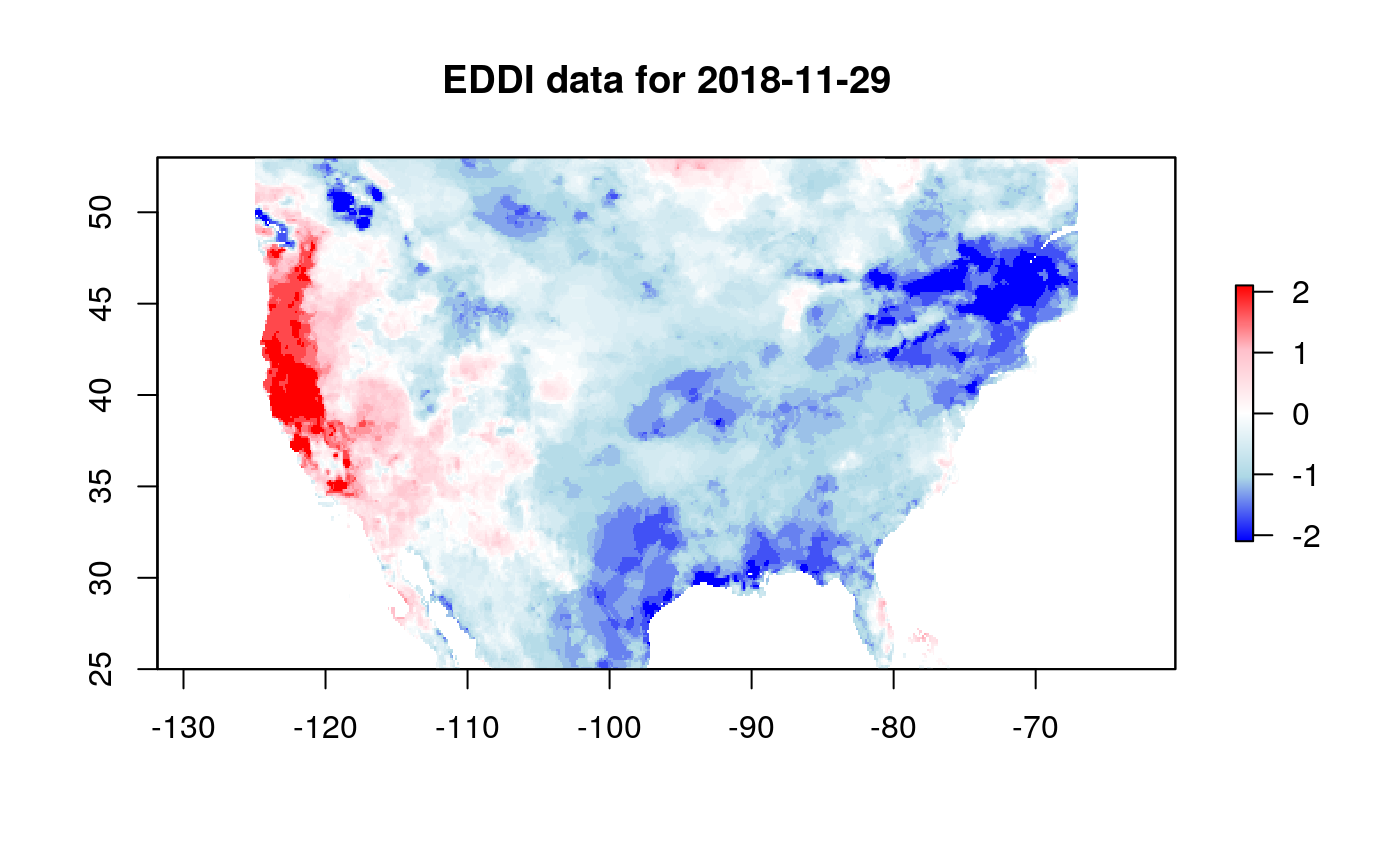
This is a basic example which shows you how to get EDDI data for Nov 29, 2018 at the one month timescale:
library(eddi)

eddi_data <- get_eddi(date = "2018-11-29", timescale = "1 month")
eddi_data
#> class      : RasterStack
#> dimensions : 224, 464, 103936, 1  (nrow, ncol, ncell, nlayers)
#> resolution : 0.125, 0.125  (x, y)
#> extent     : -125, -67, 25, 53  (xmin, xmax, ymin, ymax)
#> crs        : +init=epsg:4326 +proj=longlat +datum=WGS84 +no_defs +ellps=WGS84 +towgs84=0,0,0
#> names      : EDDI_ETrs_01mn_20181129
This will always return a RasterStack object with each layer in the
stack corresponding to a date, that can be visualized using
raster::plot. Here, large positive values indicate exceptionally dry
conditions, and large negative values indicate exceptionally wet
conditions, with values of 0 indicating median EDDI
values.
color_pal <- colorRampPalette(c("blue", "lightblue", "white", "pink", "red"))
raster::plot(eddi_data, col = color_pal(255), main = "EDDI data for 2018-11-29")
EDDI Resources
A user guide for EDDI can be found here: https://www.esrl.noaa.gov/psd/eddi/pdf/EDDI_UserGuide_v1.0.pdf
For the science behind EDDI, see these two papers:
- M. Hobbins, A. Wood, D. McEvoy, J. Huntington, C. Morton, M. Anderson, and C. Hain (June 2016): The Evaporative Demand Drought Index: Part I – Linking Drought Evolution to Variations in Evaporative Demand. J. Hydrometeor., 17(6), 1745-1761.
- D. J. McEvoy, J. L. Huntington, M. T. Hobbins, A. Wood, C. Morton, M. Anderson, and C. Hain (June 2016): The Evaporative Demand Drought Index: Part II – CONUS-wide Assessment Against Common Drought Indicators. J. Hydrometeor., 17(6), 1763-1779.