deckroadmap
Roadmap Footers for 'Reveal.js' Slides in 'Quarto' and 'R Markdown'
Adds section-aware roadmap footers to 'Reveal.js' slide decks created with 'Quarto' or 'R Markdown'. The footer highlights completed, current, and upcoming sections as slides advance. Supports multiple visual styles, inherited section tags, roadmap-free slides, and configurable colors, size, and positioning options.
deckroadmap


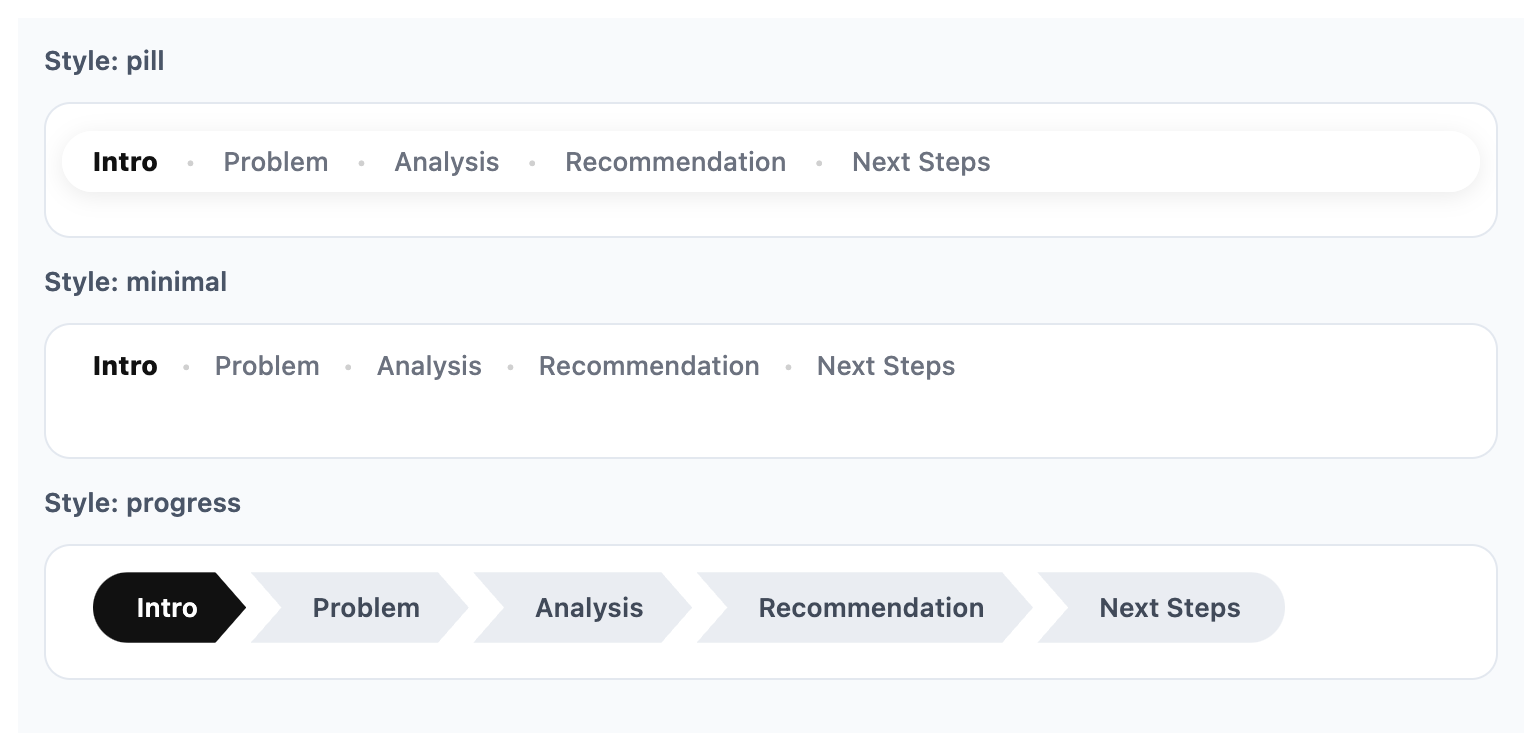
deckroadmap adds PowerPoint-style roadmap footers to Quarto and R
Markdown Reveal.js slides.
It helps audiences see what has been covered, what section they are
currently in, and what comes next. The package supports multiple
built-in styles, including pill, minimal, and progress, along with
options for colors, size, and positioning.
 Read the background story and design
notes in the blog post.
Documentation:
codingtigertang.github.io/deckroadmap
Read the background story and design
notes in the blog post.
Documentation:
codingtigertang.github.io/deckroadmap
Installation
Install the stable version from CRAN:
install.packages("deckroadmap")
Or install the development version from GitHub:
# install.packages("pak")
pak::pak("CodingTigerTang/deckroadmap")
Why use deckroadmap?
Many business, teaching, and conference presentations use a roadmap bar
to help orient the audience during the talk. deckroadmap brings that
pattern to Reveal.js slides in a simple R-friendly way.
With one function call, you can add a persistent footer that marks:
- completed sections
- the current section
- upcoming sections
Why not just use the Reveal.js progress bar?
The built-in Reveal.js progress bar shows how far you are through the
slide deck. deckroadmap answers a different question: where are you in
the structure of the talk?
Supported formats
deckroadmap currently supports:
- Quarto Revealjs presentations
- R Markdown Revealjs presentations
It is designed for Reveal.js-based HTML slides.
Basic usage
Add use_roadmap() near the top of your document, then tag slides with
data-roadmap section names. Untagged slides inherit the most recent
section by default.
library(deckroadmap)

use_roadmap(
  c("Intro", "Problem", "Analysis", "Recommendation", "Next Steps"),
  style = "pill"
)
Then use matching section labels on your slides, for example:
## Welcome {data-roadmap="Intro"}

## The problem {data-roadmap="Problem"}

## Analysis overview {data-roadmap="Analysis"}

## Recommendation {data-roadmap="Recommendation"}

## Next steps {data-roadmap="Next Steps"}
Inheriting section tags
By default, untagged slides inherit the most recent data-roadmap
value. This makes it easier to tag only the first slide of each section.
## Intro {data-roadmap="Intro"}

## More intro content

## Problem {data-roadmap="Problem"}

## More problem detail
In this example, the second slide inherits Intro, and the fourth slide inherits Problem.
Roadmap-free slides
To hide the roadmap on a specific slide, use:
## Break slide {data-roadmap="none"}
This is useful for title slides, divider slides, or transitions where you do not want the roadmap to appear.
Full examples
Full working examples are included in the examples/ folder:
These show complete Reveal.js slide documents for Quarto and R Markdown.
Previewing styles
You can preview a roadmap style locally before rendering slides by using
preview_roadmap().
preview_roadmap(
  sections = c("Intro", "Problem", "Analysis", "Recommendation", "Next Steps"),
  current = "Analysis",
  style = "progress"
)
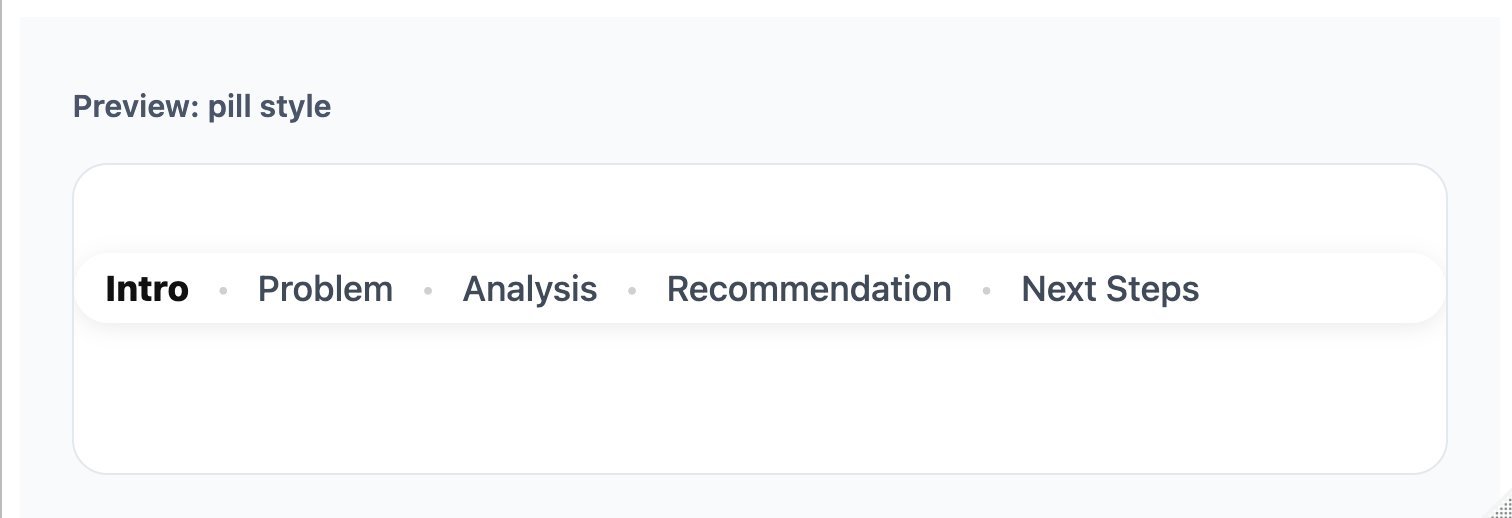
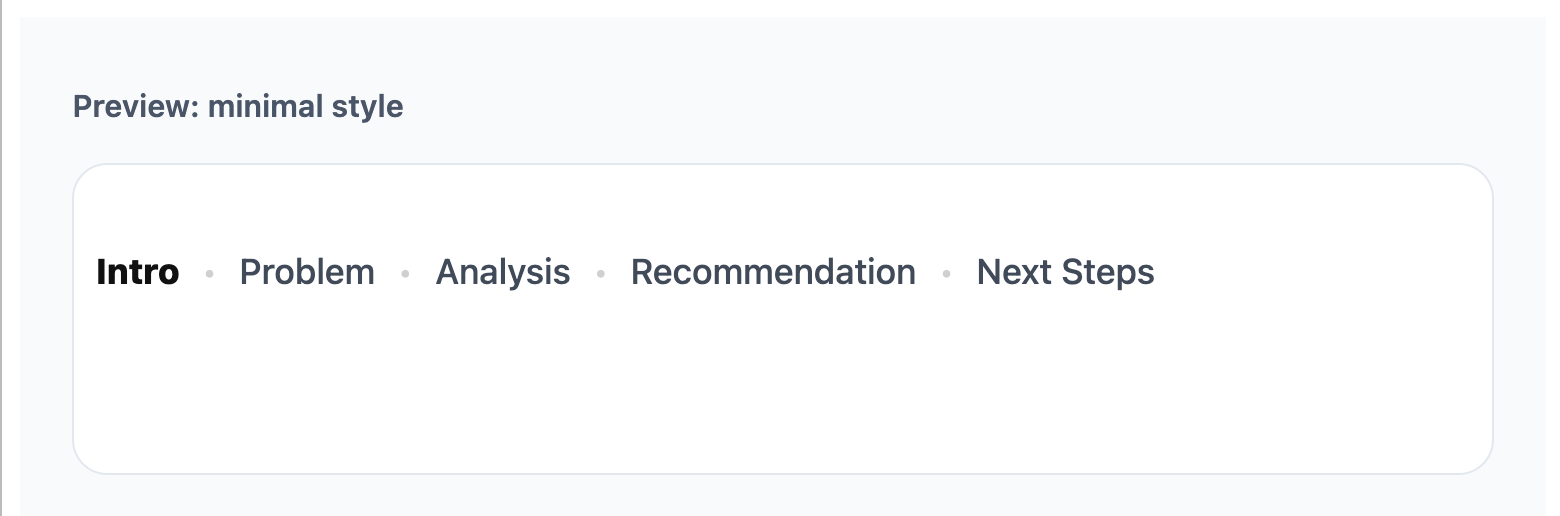
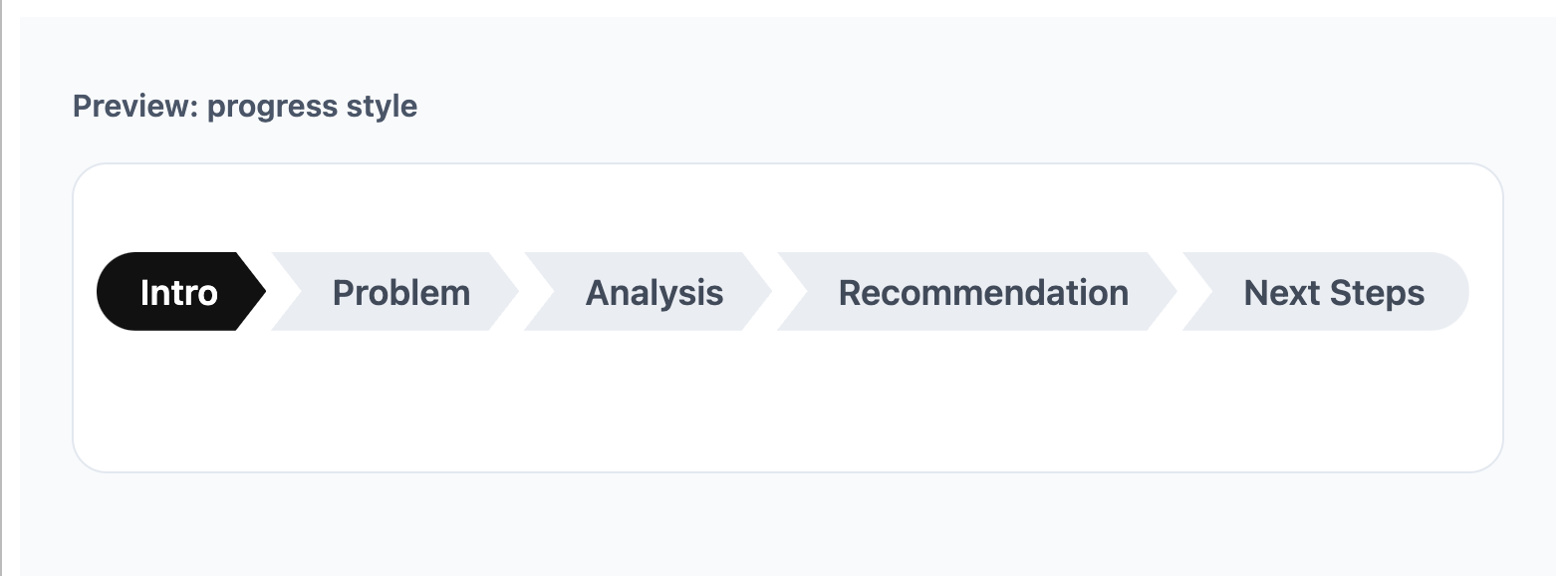
Because this README renders to GitHub Markdown, the live HTML preview is not shown here. The screenshots below were generated locally from the preview function.
Styles
deckroadmap currently includes three styles.
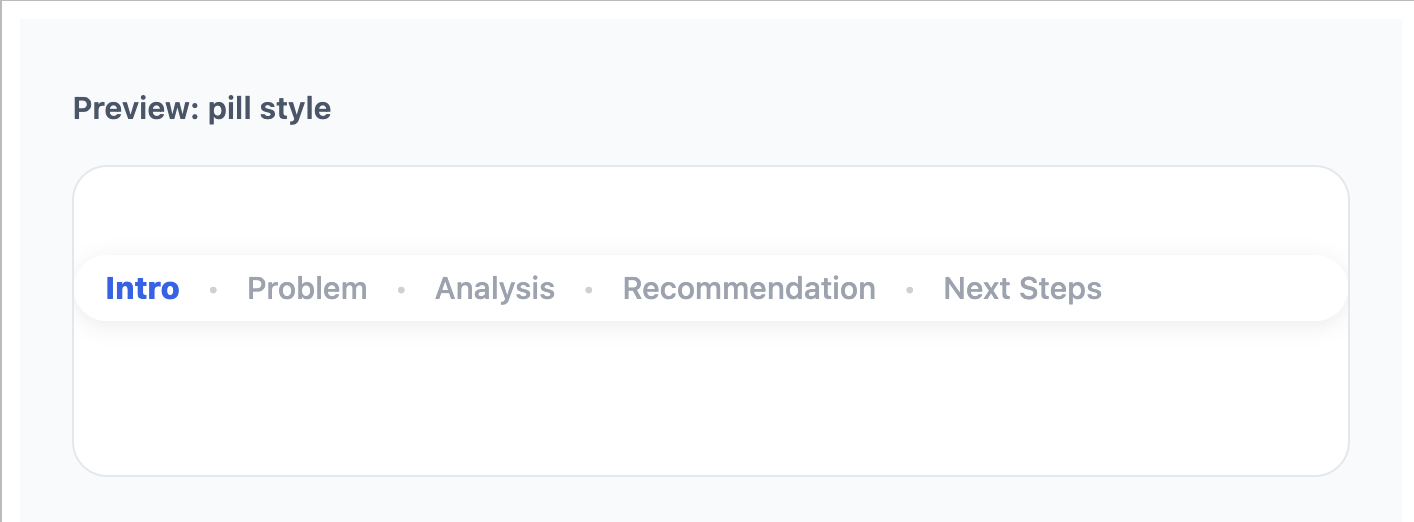
style = "pill"
A rounded floating footer with a soft background.
use_roadmap(
  c("Intro", "Problem", "Analysis", "Recommendation", "Next Steps"),
  style = "pill"
)
style = "minimal"
A lighter text-only roadmap with less visual weight.
use_roadmap(
  c("Intro", "Problem", "Analysis", "Recommendation", "Next Steps"),
  style = "minimal"
)
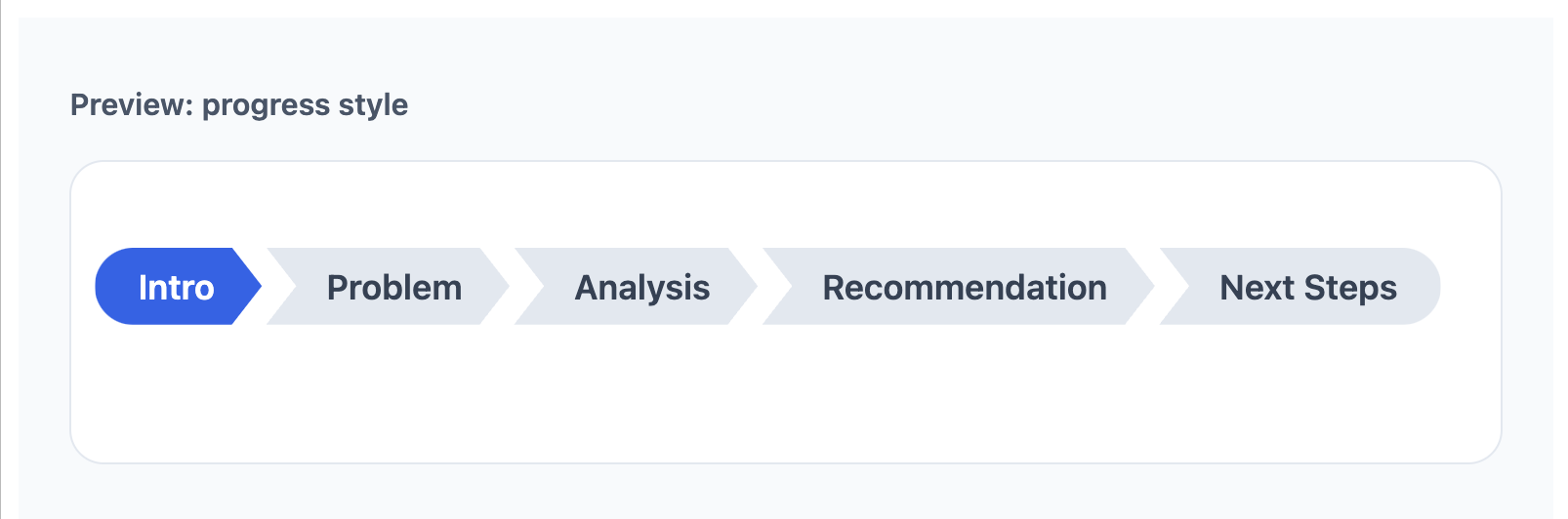
style = "progress"
A connected progress-style roadmap with section blocks.
use_roadmap(
  c("Intro", "Problem", "Analysis", "Recommendation", "Next Steps"),
  style = "progress"
)
Customization
You can control font size, bottom spacing, text colors, and, for
progress, background colors.
Text styling
use_roadmap(
  c("Intro", "Problem", "Analysis", "Recommendation", "Next Steps"),
  style = "pill",
  font_size = "14px",
  bottom = "12px",
  active_color = "#2563eb",
  done_color = "#374151",
  todo_color = "#9ca3af"
)
Progress style with background colors
use_roadmap(
  c("Intro", "Problem", "Analysis", "Recommendation", "Next Steps"),
  style = "progress",
  active_color = "#ffffff",
  done_color = "#ffffff",
  todo_color = "#334155",
  active_bg_color = "#2563eb",
  done_bg_color = "#475569",
  todo_bg_color = "#e2e8f0"
)
Notes
- Section names in sections should match the
data-roadmapvalues used on slides. - Untagged slides inherit the most recent section by default.
- Use
data-roadmap="none"to hide the roadmap on a specific slide. deckroadmapis designed for Reveal.js slide decks, not PowerPoint output.- For best results, keep the section list short and readable.