Rnightly
A Wrapper of the 'JavaScript' Library 'Nightly'
Allows the user to implement a dark/light toggle mode in 'shiny' using the 'Nightly' 'JavaScript' library. The default mode is dark/light however the user can also specify other colours.
Rnightly
The goal of Rnightly is to implement a Dark/Light toggle mode in your
Shiny user interface. You can also change the default behavior by
specifying other colors.

Installation
You can install the development version of Rnightly from Github with :
# install.packages("remotes")

remotes::install_github("feddelegrand7/Rnightly")
The Rnightly has two functions:
-
use_nightly(): set this function anywhere within your ui. It activates the nightly JavaScript library. The function must be run only once. -
nightly(): activates the dark/light toggle mode. Look below for examples on how to use it.
Examples
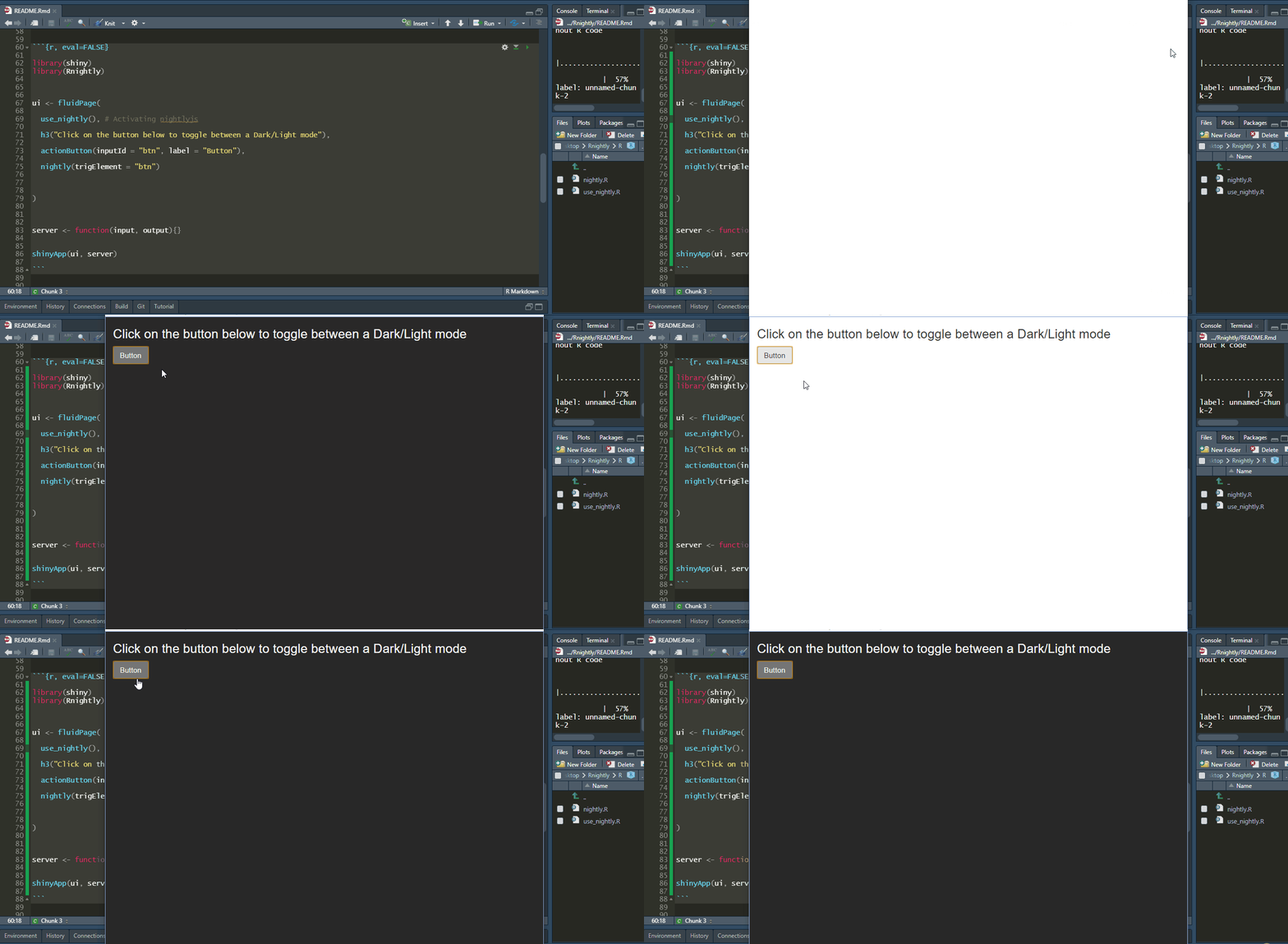
Let’s create a basic shiny app that demonstrates the features of
Rnightly. Here the trigElement will determine which shiny element
will trigger the Dark/Light mode. Note that it’s the only mandotry
argument:
library(shiny)
library(Rnightly)


ui <- fluidPage(

  use_nightly(), # Activating nightlyjs

  h3("Click on the button below to toggle between a Dark/Light mode"),

  actionButton(inputId = "btn", label = "Button"),

  nightly(trigElement = "btn") # Make sure to provide the same id

)


server <- function(input, output){}


shinyApp(ui, server)
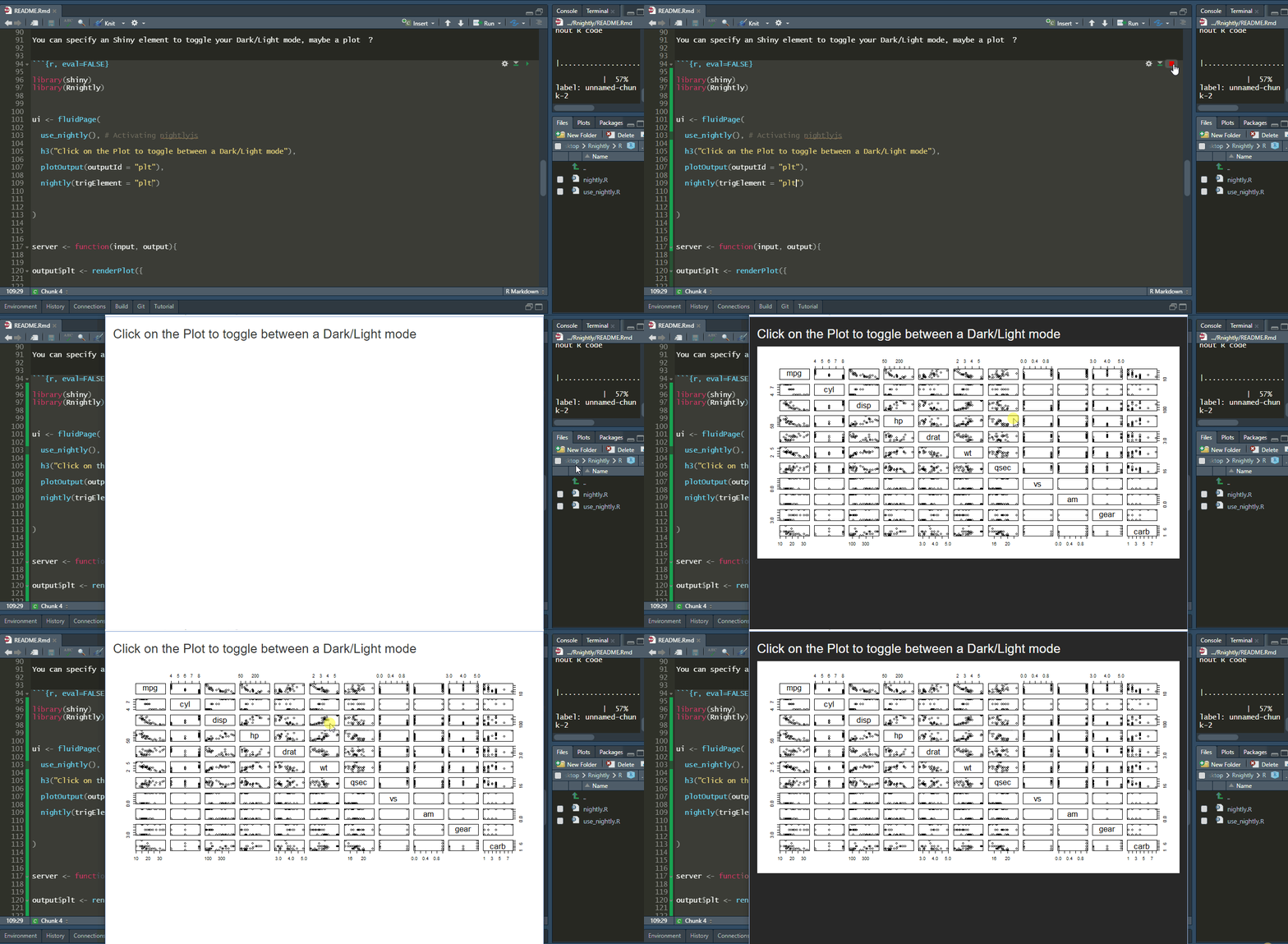
You can specify any Shiny element to toggle your Dark/Light mode, maybe a plot ?
library(shiny)
library(Rnightly)


ui <- fluidPage(

  use_nightly(), # Activating nightlyjs

  h3("Click on the Plot to toggle between a Dark/Light mode"),

  plotOutput(outputId = "plt"),

  nightly(trigElement = "plt")

)


server <- function(input, output){


output$plt <- renderPlot({


  plot(mtcars)

})


}


shinyApp(ui, server)
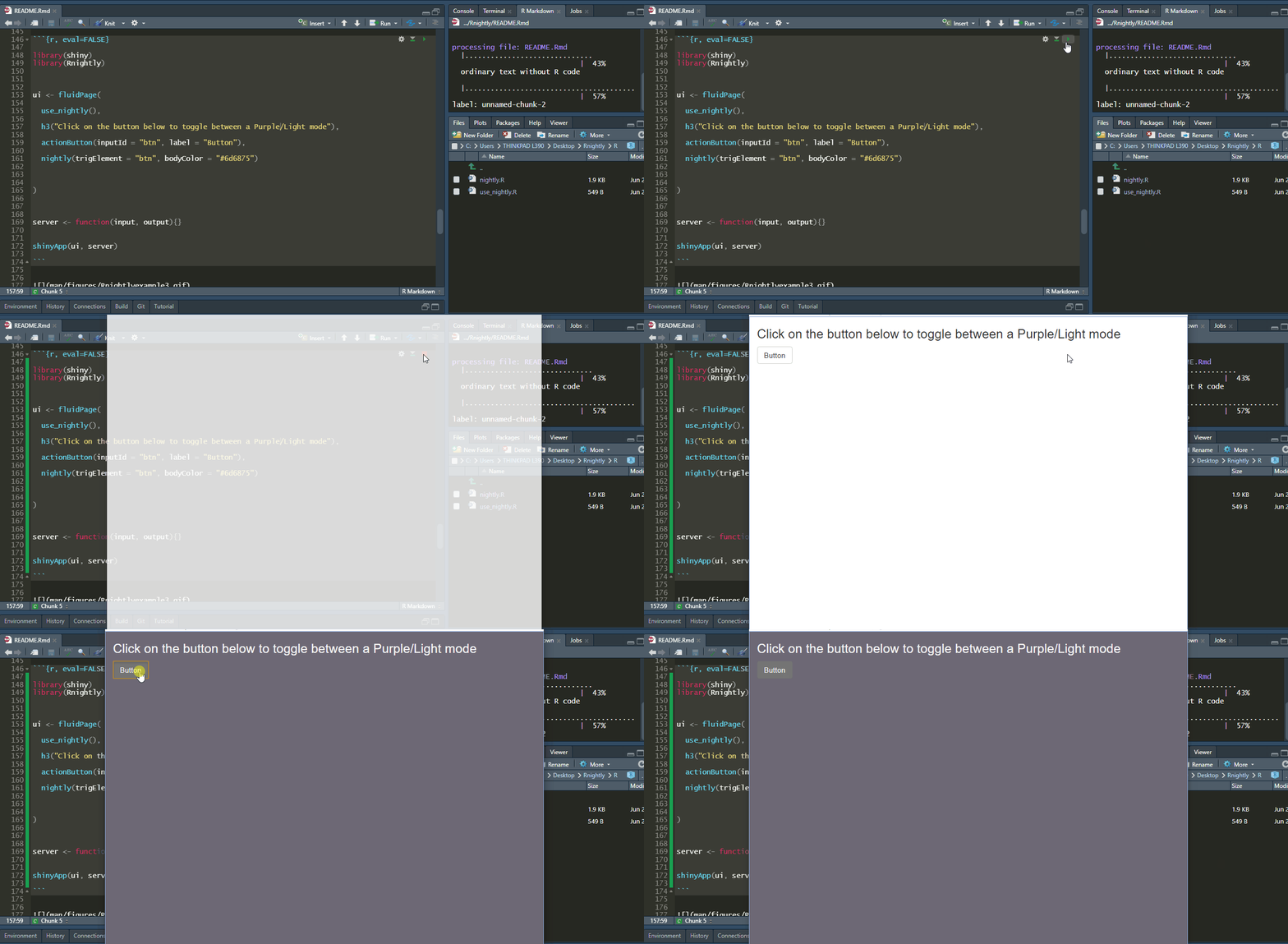
Now the cool part. Instead of Dark, using the bodyColor argument you
can change the color that will be displayed when toggling:
library(shiny)
library(Rnightly)


ui <- fluidPage(

  use_nightly(),

  h3("Click on the button below to toggle between a Purple/Light mode"),

  actionButton(inputId = "btn", label = "Button"),

  nightly(trigElement = "btn", bodyColor = "#6d6875")

)


server <- function(input, output){}


shinyApp(ui, server)
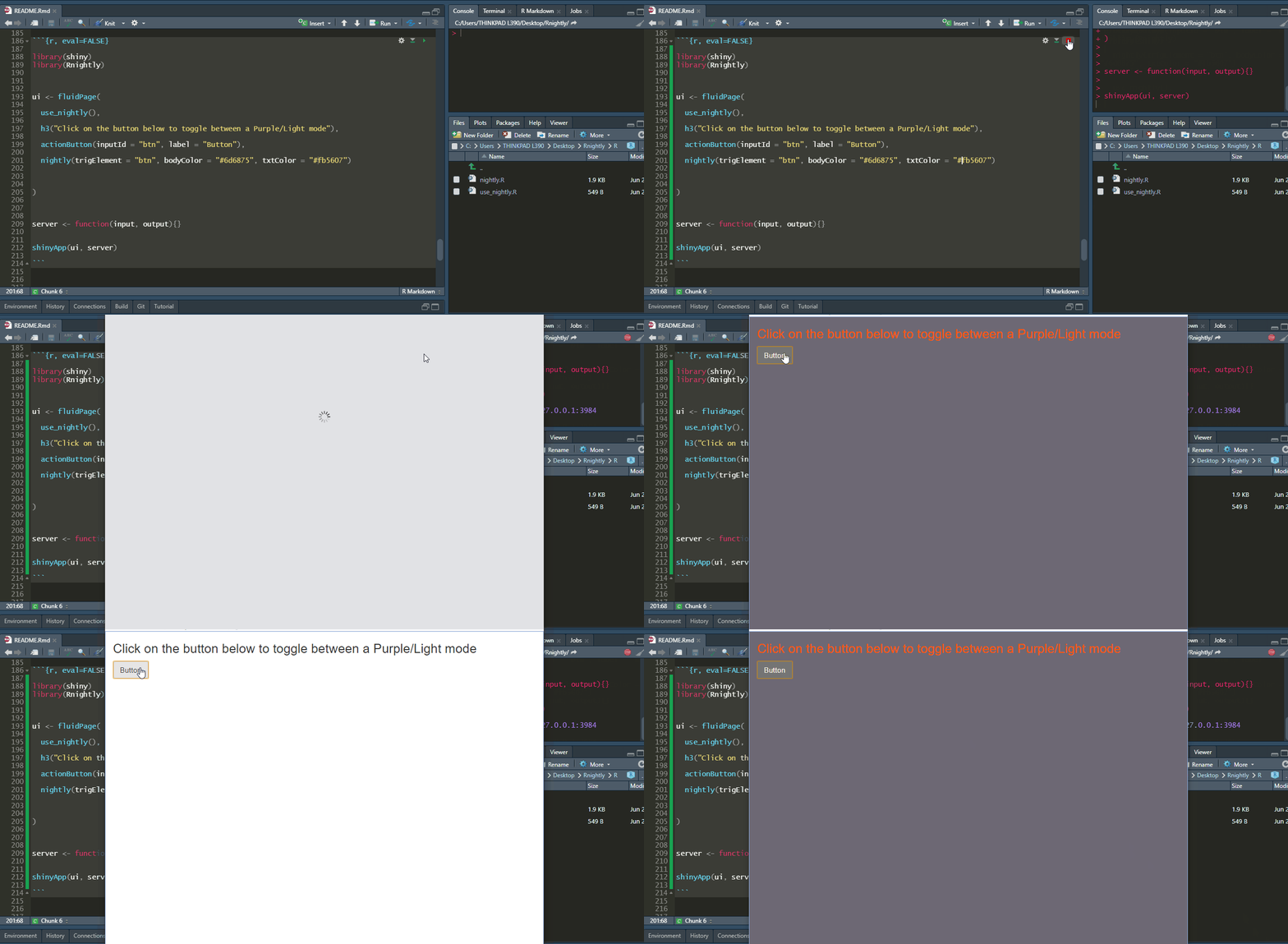
You can also change the text color when toggling :
library(shiny)
library(Rnightly)


ui <- fluidPage(

  use_nightly(),

  h3("Click on the button below to toggle between a Purple/Light mode"),

  actionButton(inputId = "btn", label = "Button"),

  nightly(trigElement = "btn", bodyColor = "#6d6875", txtColor = "#fb5607")

)


server <- function(input, output){}


shinyApp(ui, server)
Further, you can set the text color within Shiny inputs that will be displayed after toggling :
library(shiny)
library(Rnightly)


ui <- fluidPage(

  use_nightly(),

  h3("Click on the button below to toggle between a Purple/Light mode"),

  actionButton(inputId = "btn", label = "Button"),

  br(), br(), br(),

  textInput(inputId = "txt1", label = "Type some text here"),

  nightly(trigElement = "btn",
          bodyColor = "#6d6875",
          txtColor = "#fb5607",
          inpTxtColor = "lightblue")

)


server <- function(input, output){}


shinyApp(ui, server)
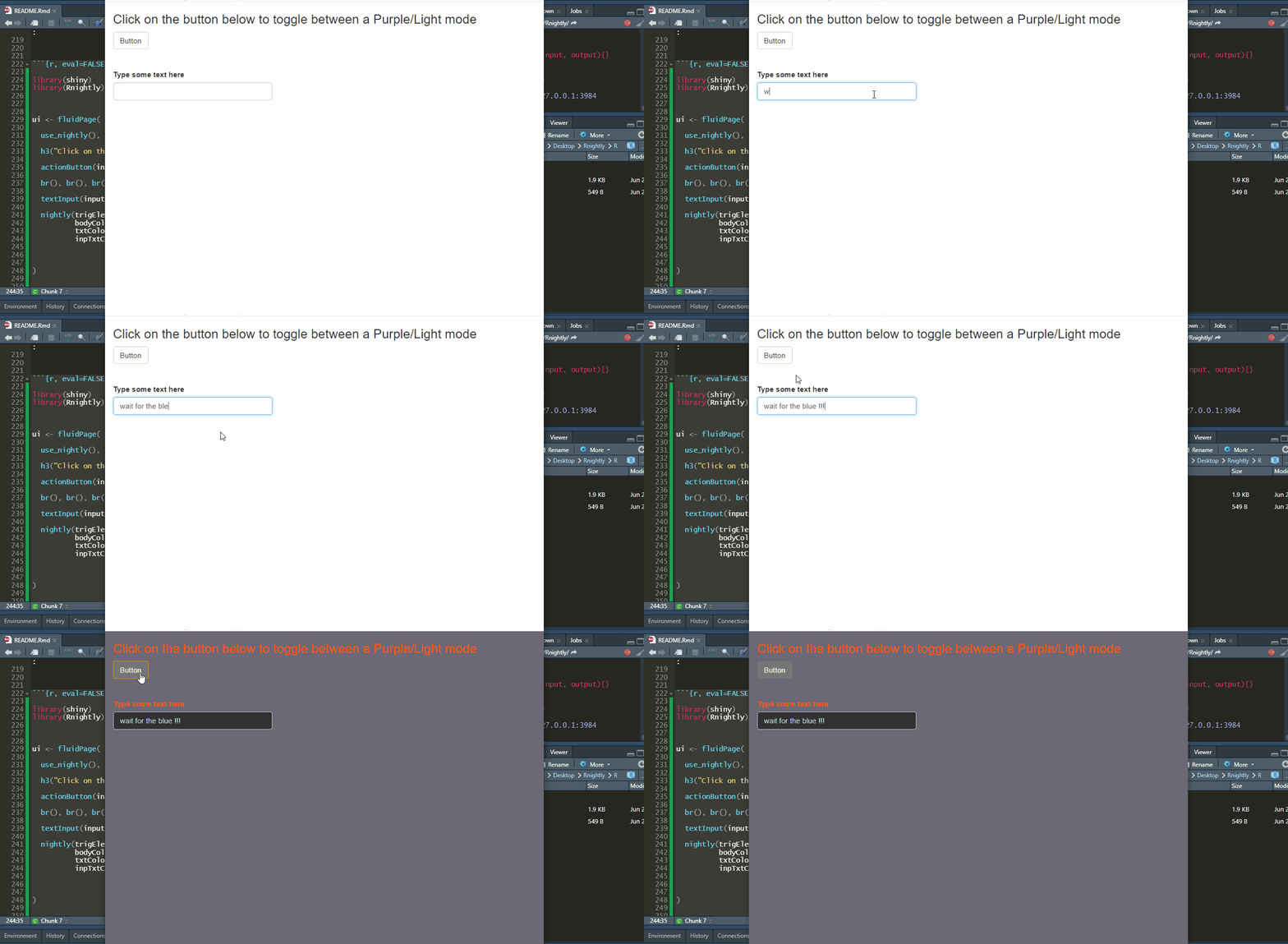
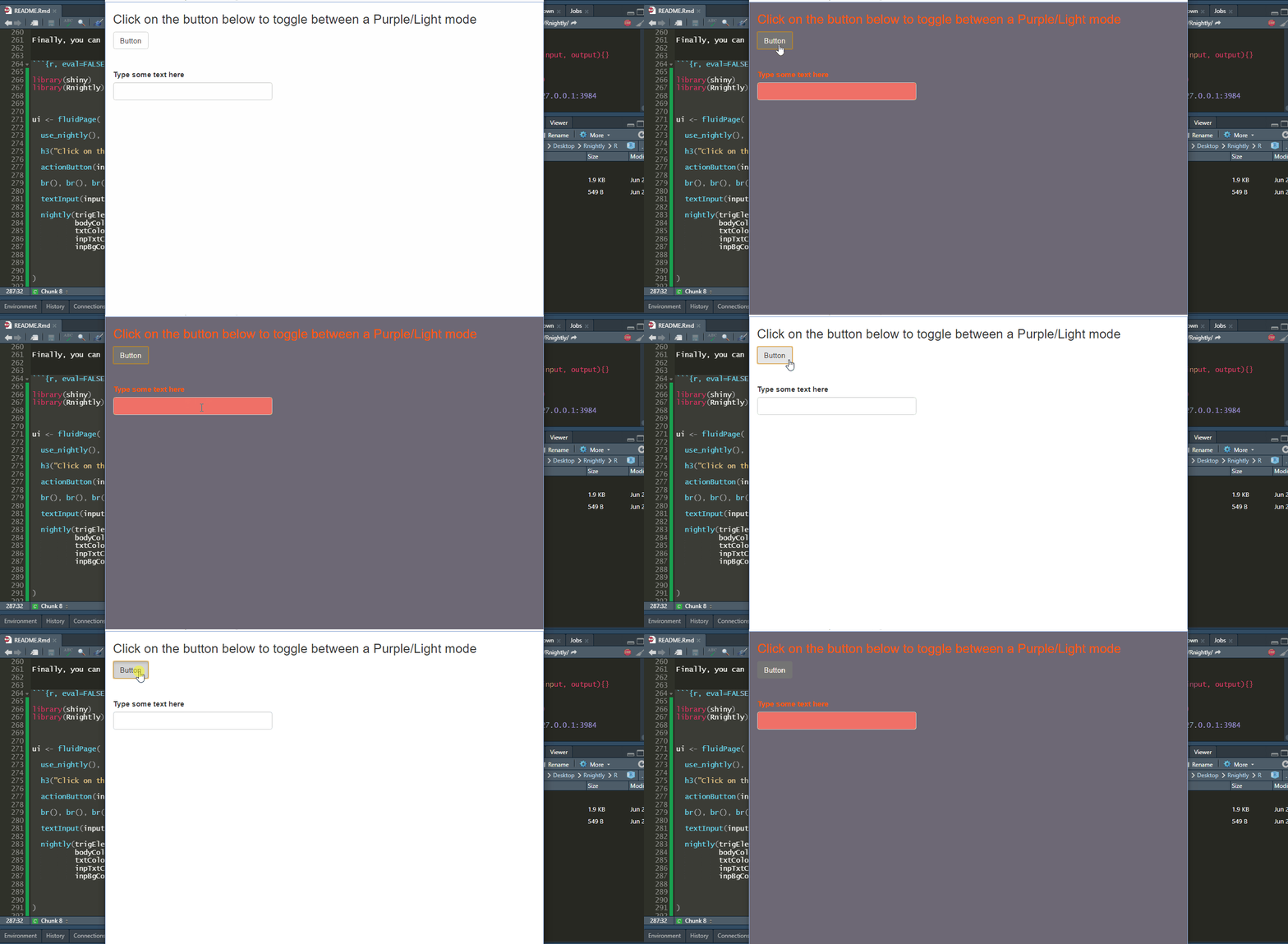
Finally, you can change the background color of Shiny inputs after toggling :
library(shiny)
library(Rnightly)


ui <- fluidPage(

  use_nightly(),

  h3("Click on the button below to toggle between a Purple/Light mode"),

  actionButton(inputId = "btn", label = "Button"),

  br(), br(), br(),

  textInput(inputId = "txt1", label = "Type some text here"),

  nightly(trigElement = "btn",
          bodyColor = "#6d6875",
          txtColor = "#fb5607",
          inpTxtColor = "lightblue",
          inpBgColor = "#f07167")

)


server <- function(input, output){}


shinyApp(ui, server)
Code of Conduct
Please note that the Rnightly project is released with a Contributor Code of Conduct. By contributing to this project, you agree to abide by its terms.